Latest release — see what's new

Run any local LLM engine,
auto-tuned to your GPU

Bring your own llama.cpp fork. No compiling. No Electron. No Python. Point Claude Code at your own machine in one command — fully offline.

$ npx turbollm
Don't have Node? One command installs it.

Windows: winget install OpenJS.NodeJS.LTS  ·  macOS: brew install node  ·  Linux: your package manager or nodejs.org (v22+). Then open a new terminal and re-run npx turbollm.

Runs llama.cpp, ik_llama.cpp, TurboQuant, KoboldCpp, llamafile, MLX, vLLM, SGLang — or any community fork.

localhost:6996
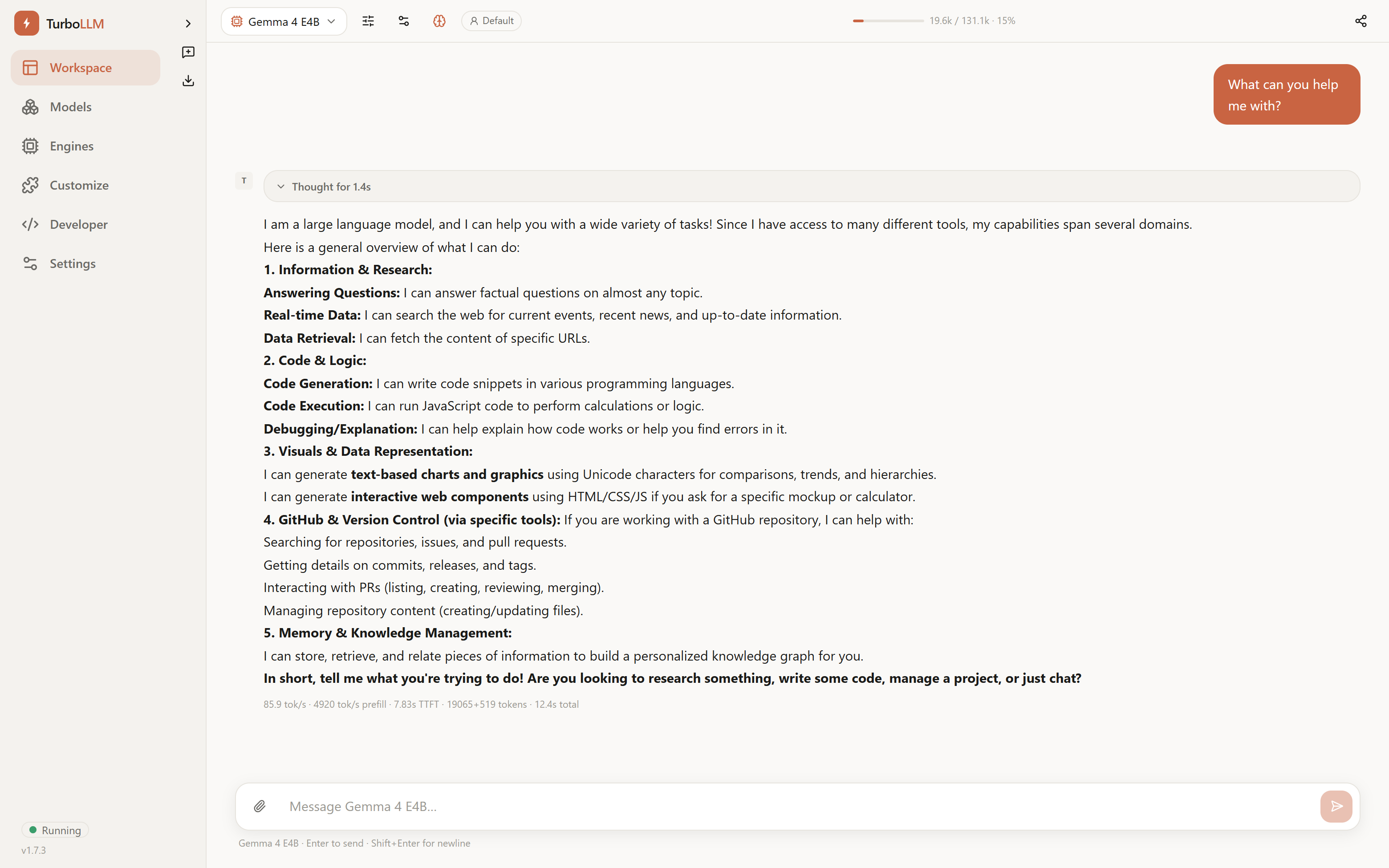
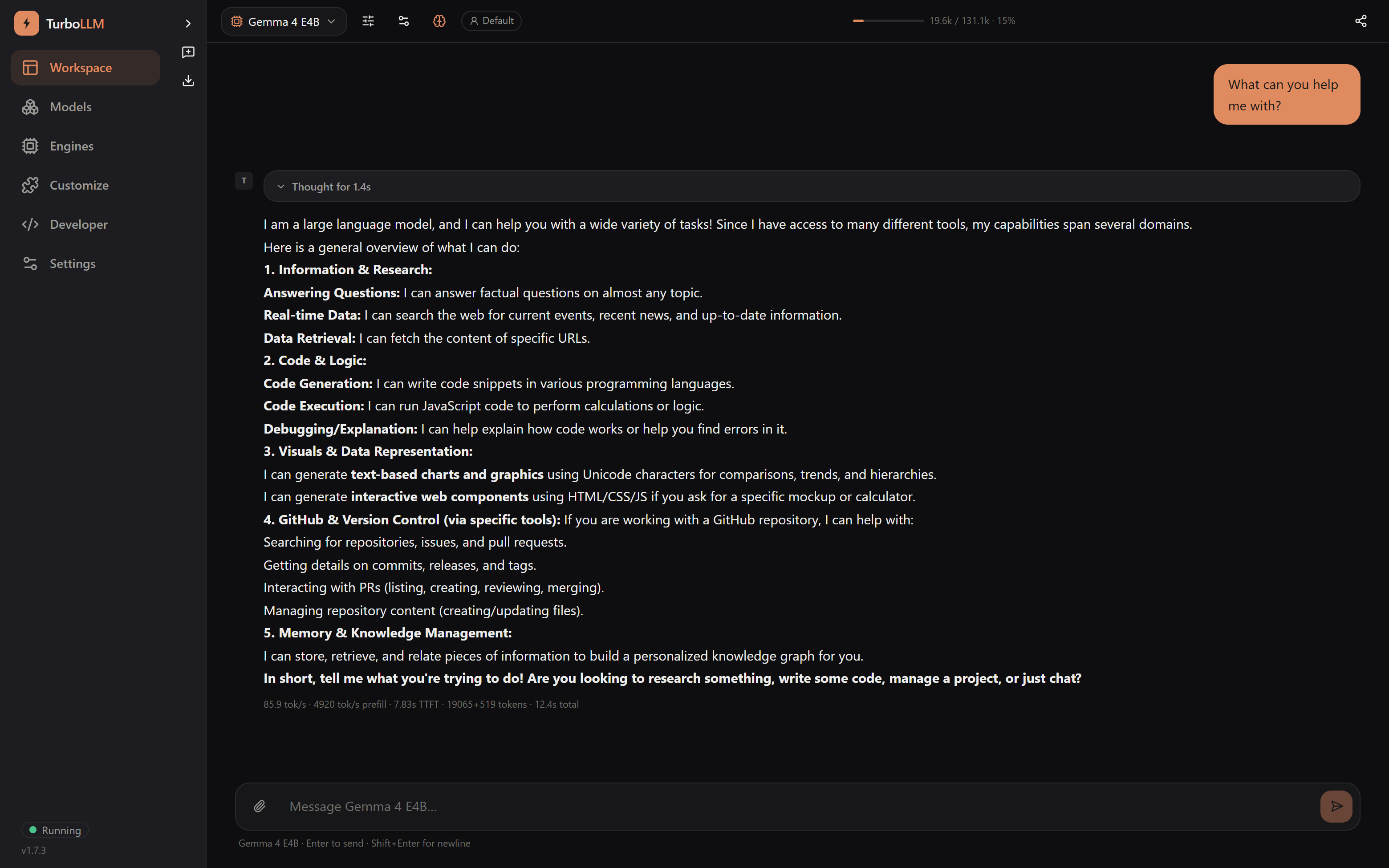
TurboLLM chat with a local model, showing real generation speed of 85.9 tokens per second, dark mode TurboLLM chat with a local model, showing real generation speed of 85.9 tokens per second, light mode
2.2×
Faster than other inferences
~7MB
npm package size
8
Engine types supported
0
Telemetry collected

200k context. 27B model. 16 GB of VRAM.

Sounds impossible? Watch it happen — real screens, real measured tokens/sec, no cuts.

Why TurboLLM

Local-LLM tools make two choices for you, and both cost you performance. TurboLLM does the opposite.

Any engine, including forks

Point it at any llama.cpp-compatible binary — a build you compiled, a community fork, or the one it auto-provisions for your GPU. The fastest community innovations land in forks first.

Auto-tuned to your hardware

Benchmarks on load, derives fast defaults, and shows a VRAM-fit verdict before you load — no more flag guessing.

Real tokens/sec, never faked

Speed in the model list is measured on your machine from actual generation — live while you chat, and remembered per model.

Drop-in APIs

OpenAI and Anthropic-compatible — so Claude Code and every existing tool work unchanged.

Offline-first & private

No account, no backend, no internet, no telemetry. Your prompts, chats, files, and keys never leave your machine.

Use from any device

The UI runs in the browser, so any phone, tablet, or laptop on your LAN can use the model on your GPU box.

Local coding agent

Read, edit, run commands, and report diffs in a real repo folder — built on pi's SDK, running on your own GPU. No cloud key, no Electron.

A UI that pulls its weight

Chat is above. Here's the rest of the app — real screens, doing real work.

localhost:6996
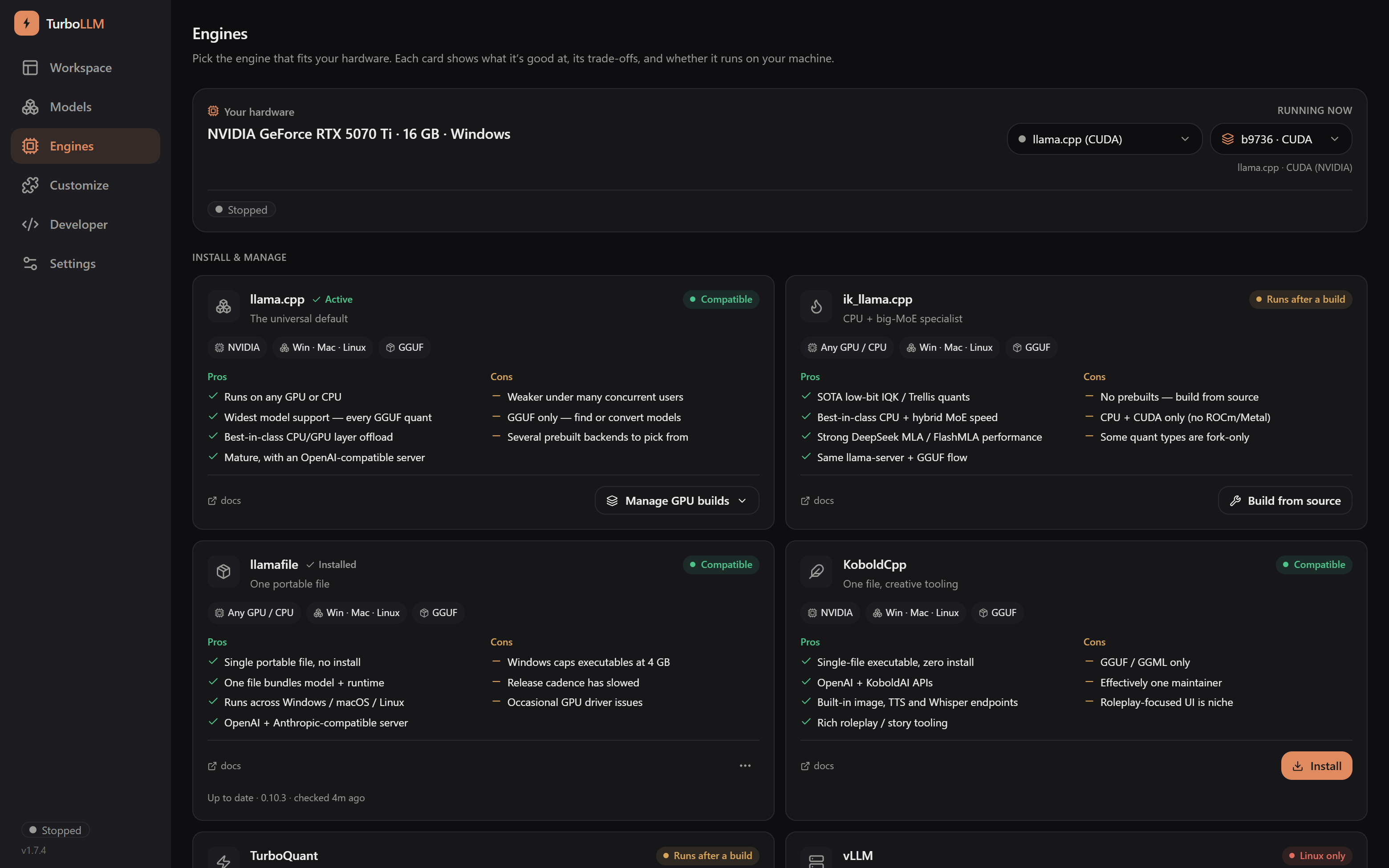
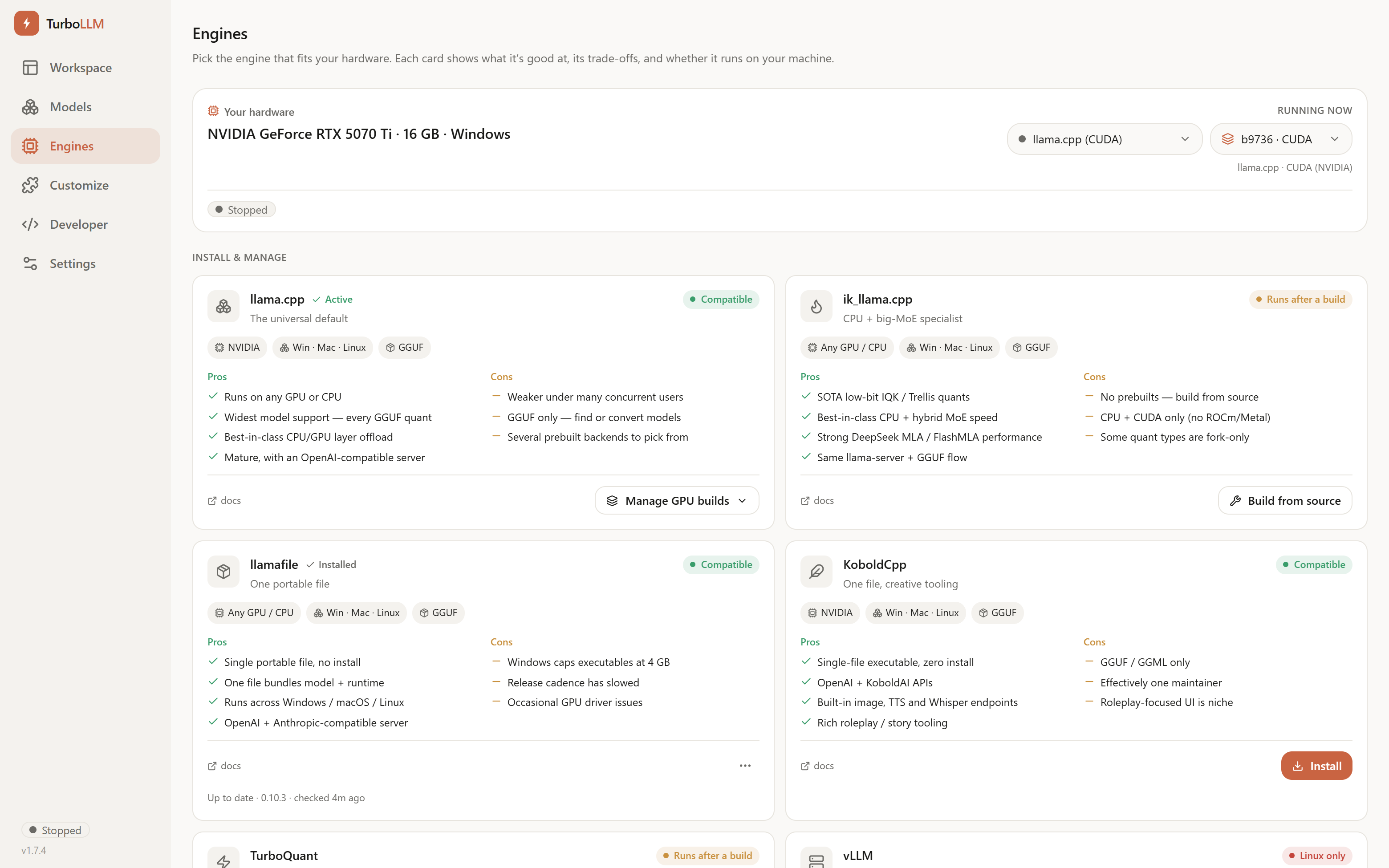
TurboLLM Engines screen showing hardware-fit marks and grounded pros/cons for llama.cpp, ik_llama.cpp, llamafile, KoboldCpp, TurboQuant, and vLLM, dark mode TurboLLM Engines screen showing hardware-fit marks and grounded pros/cons for llama.cpp, ik_llama.cpp, llamafile, KoboldCpp, TurboQuant, and vLLM, light mode

See what actually fits your GPU

Every engine card carries a hardware-fit verdict for your exact GPU, grounded pros/cons instead of marketing copy, and whether it's a one-click install or a build from source. Bring any llama.cpp fork — the same catalog covers vLLM, MLX, and TurboQuant too.

See in docs
localhost:6996
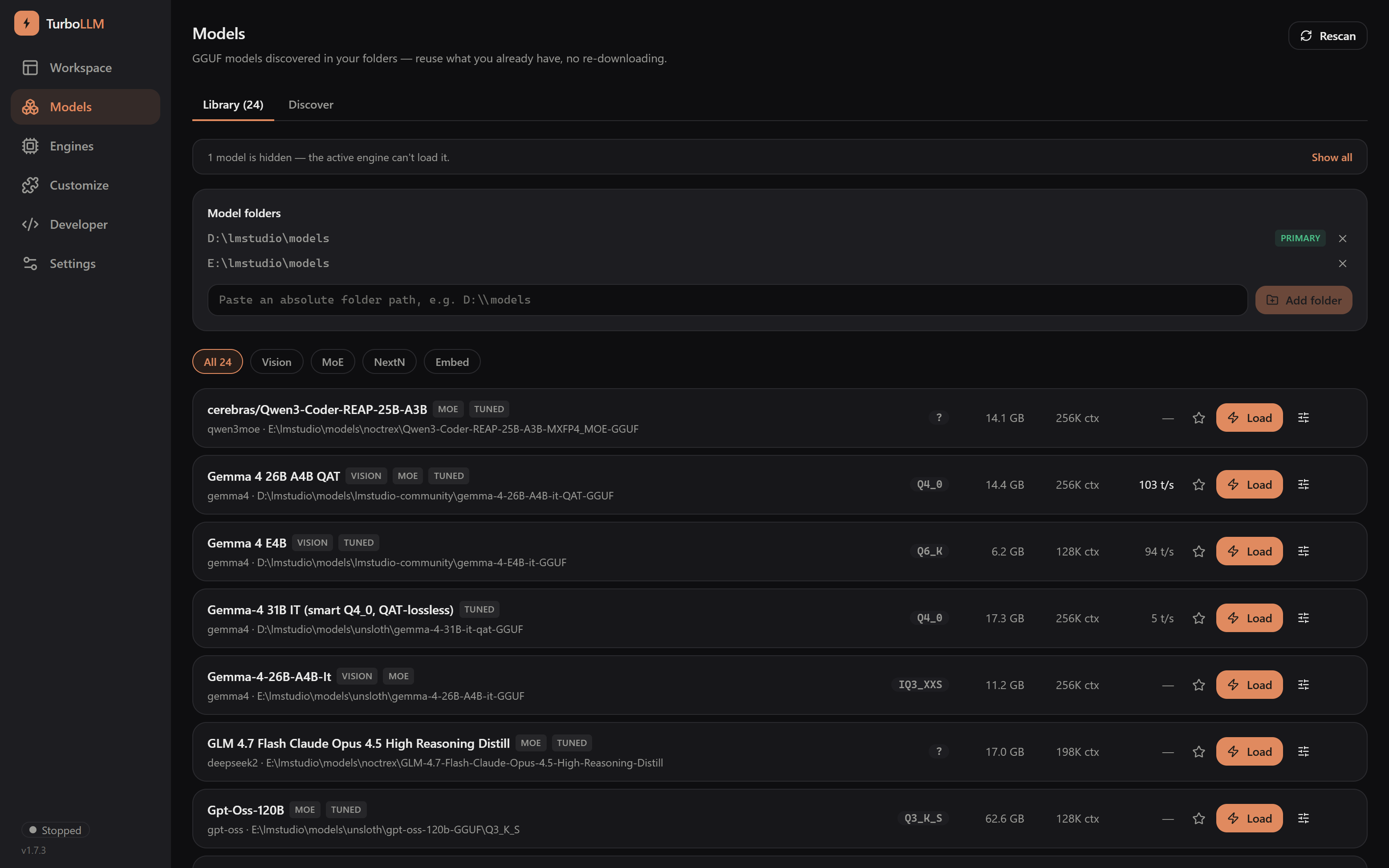
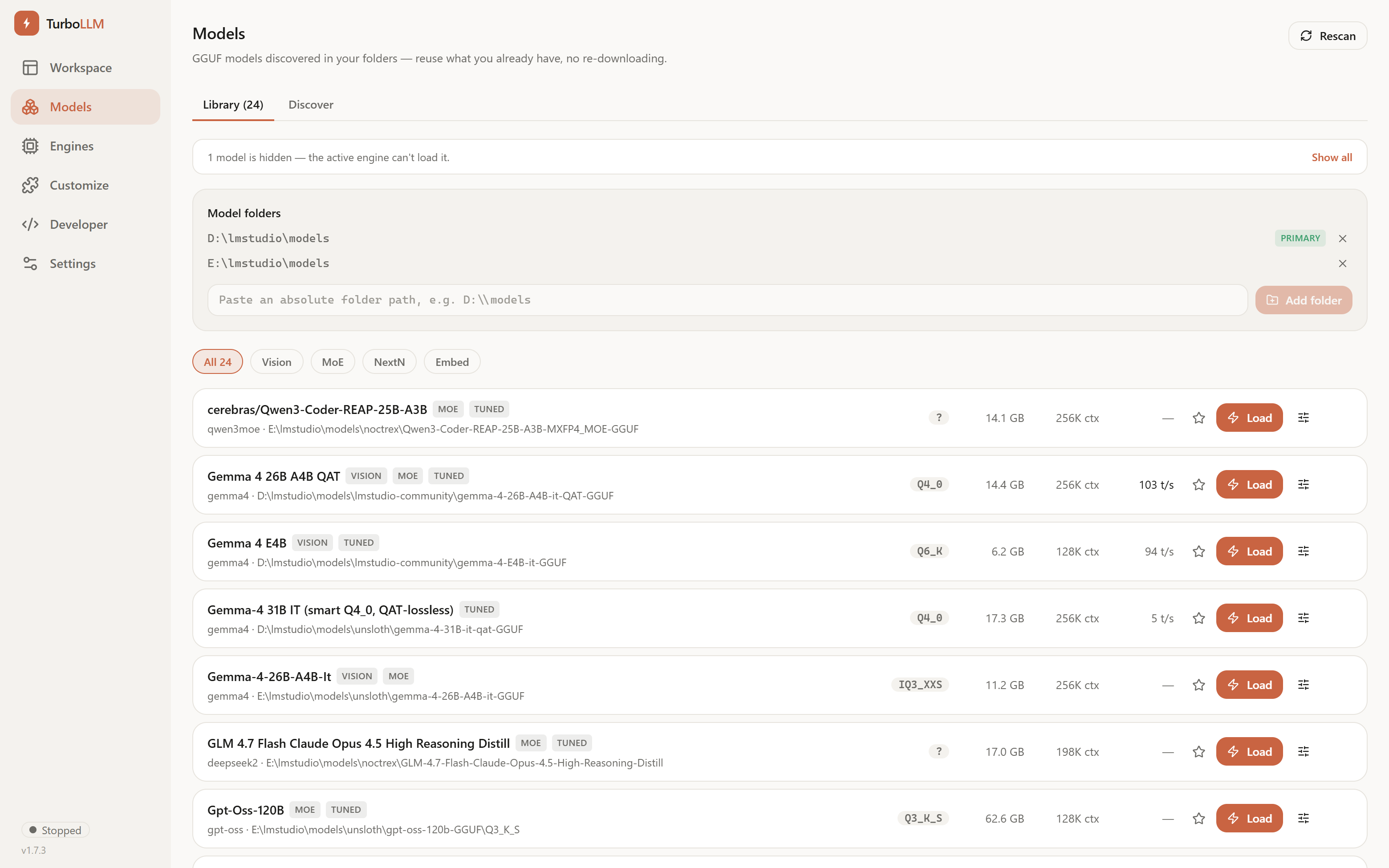
TurboLLM Models screen listing GGUFs with measured tokens/sec and VRAM-fit verdicts, dark mode TurboLLM Models screen listing GGUFs with measured tokens/sec and VRAM-fit verdicts, light mode

Models, without the busywork

Point it at the GGUF folders you already have — LM Studio folders or manual downloads — and it reuses them in place, no re-downloading. Every model shows a VRAM-fit verdict and its measured tokens/sec, from actual generation on your GPU, so you pick a quant that fits before you commit. One click to Load.

Browse the models hub
localhost:6996
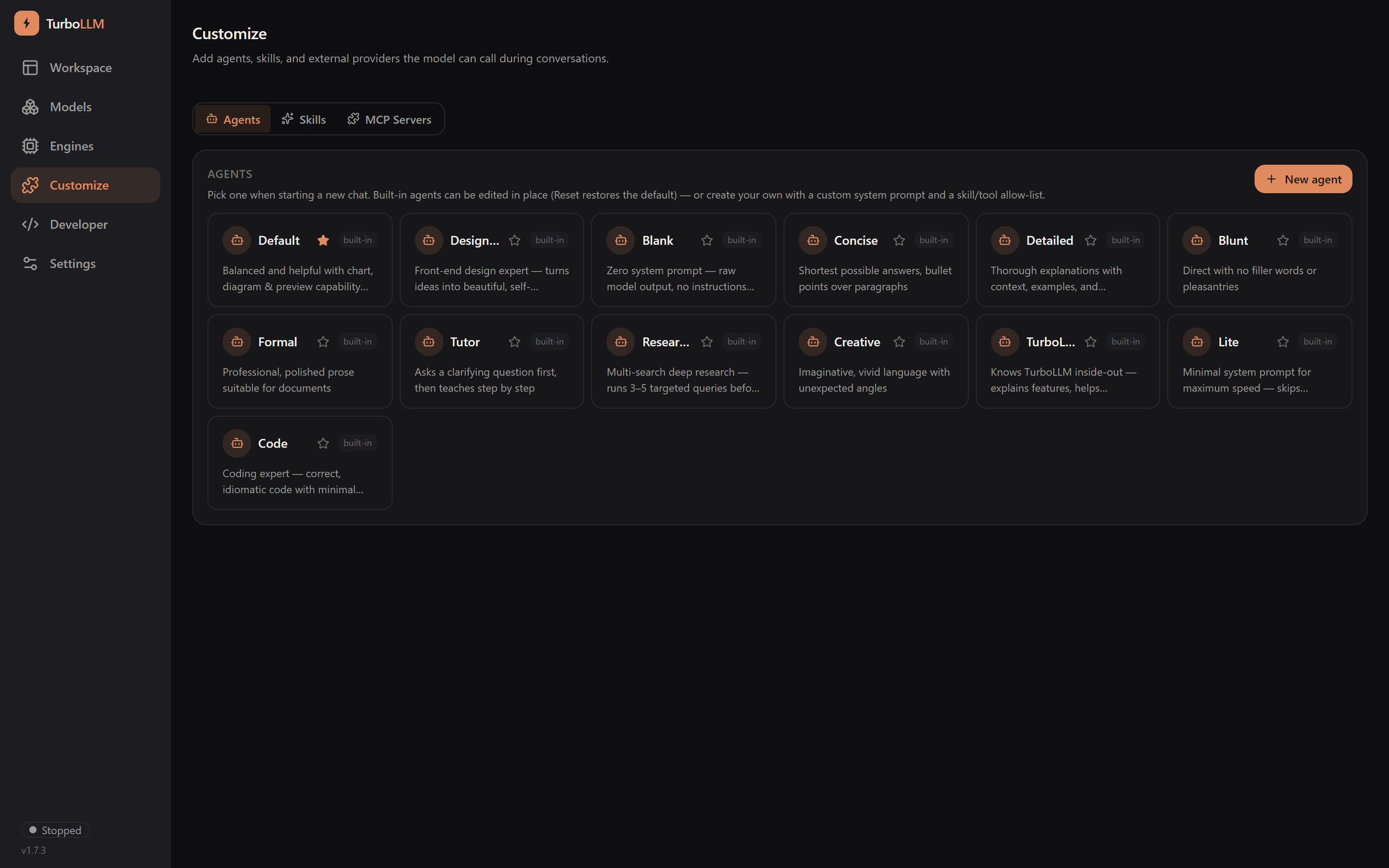
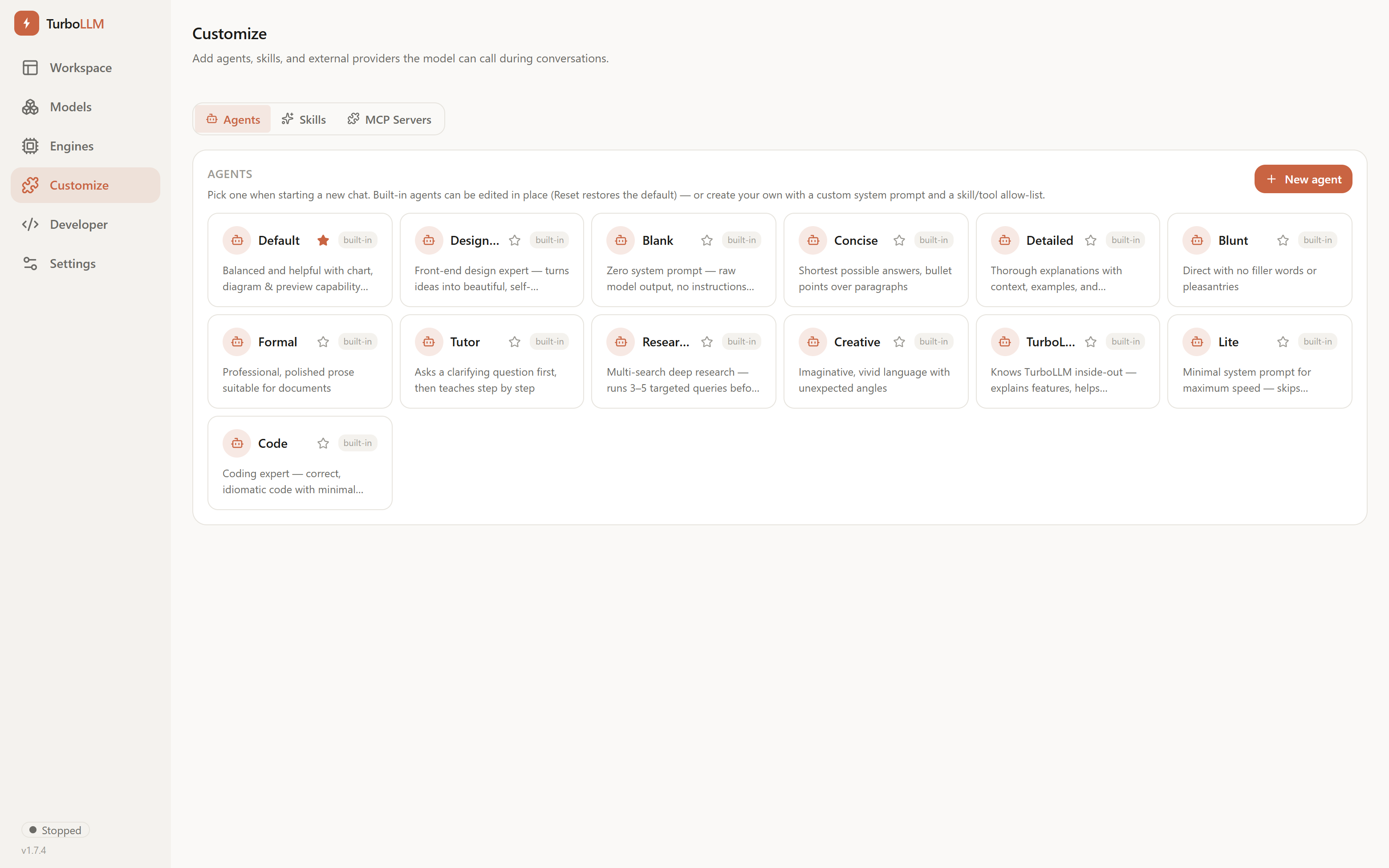
TurboLLM Customize screen with editable built-in agents, a custom system prompt, and a skill/tool allow-list, dark mode TurboLLM Customize screen with editable built-in agents, a custom system prompt, and a skill/tool allow-list, light mode

Agents you actually control

Edit any built-in agent's system prompt, skills, or tool access in place — Reset undoes it — or build your own from a name, a prompt, and a checklist. A shared Skills library (Claude-style SKILL.md) any conversation can turn on, plus an MCP servers list your agents can draw tools from.

See in docs
localhost:6996
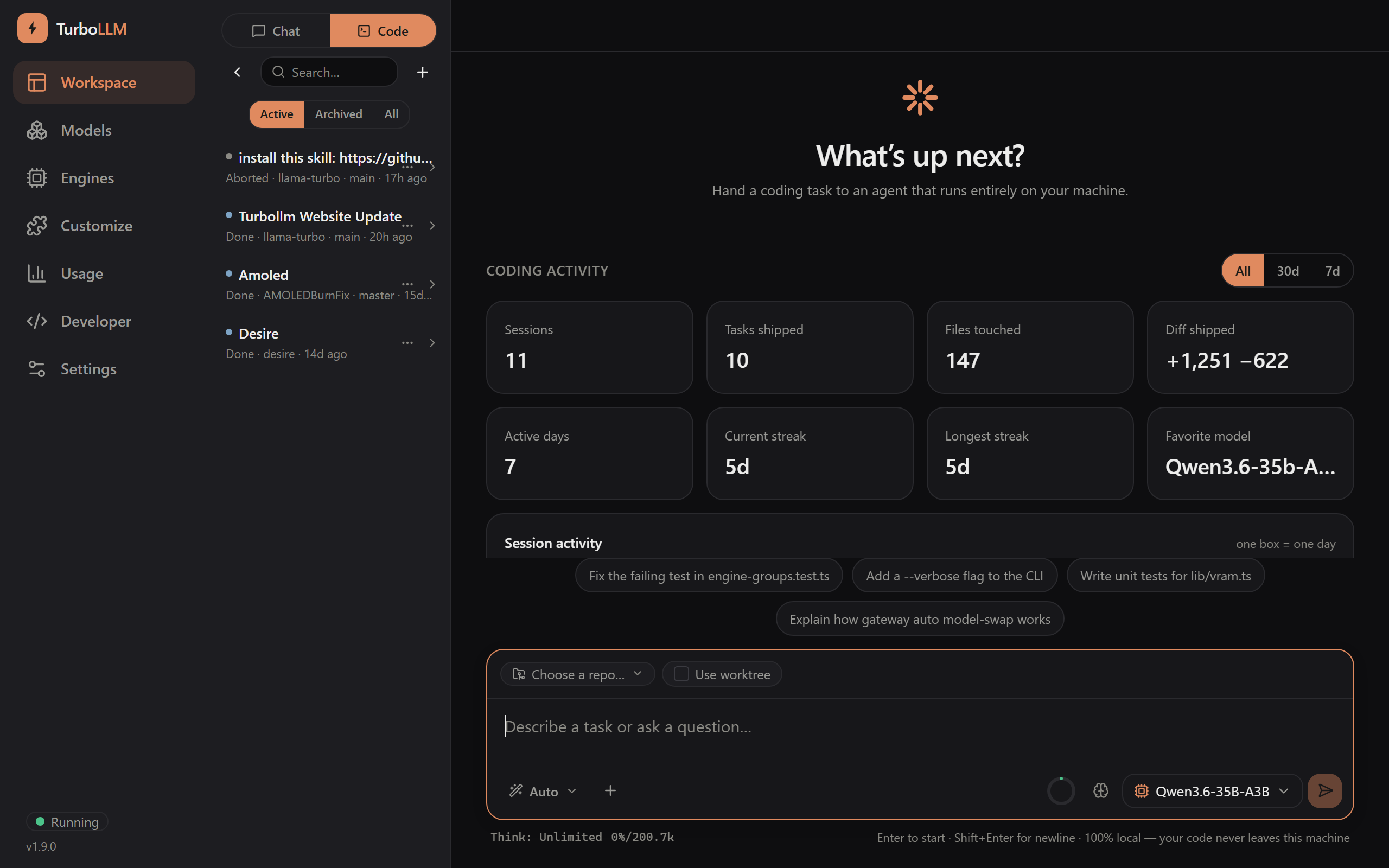
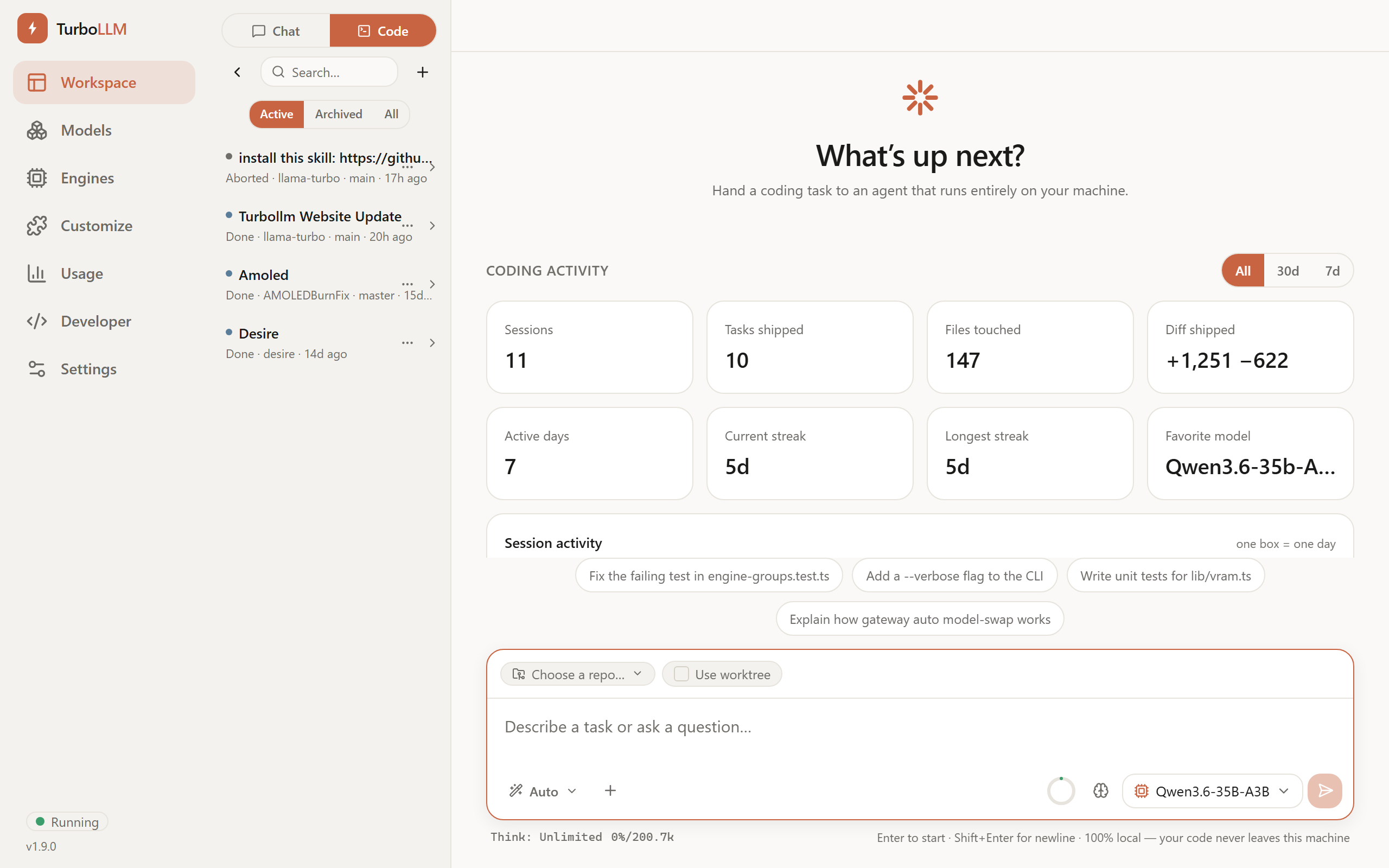
TurboLLM Code screen showing a local coding agent session with tool-call lines, real stats footer, and a git diff, dark mode TurboLLM Code screen showing a local coding agent session, light mode

A local coding agent that works in your repo

Open Workspace → Code and the agent starts working in a real folder — reading files, editing code, running commands, and reporting diffs. Built on pi's SDK with a dense terminal feel, real stats footer, and full tool access including MCP tools and skills. Optional worktree isolation keeps changes clean.

See in docs
localhost:6996
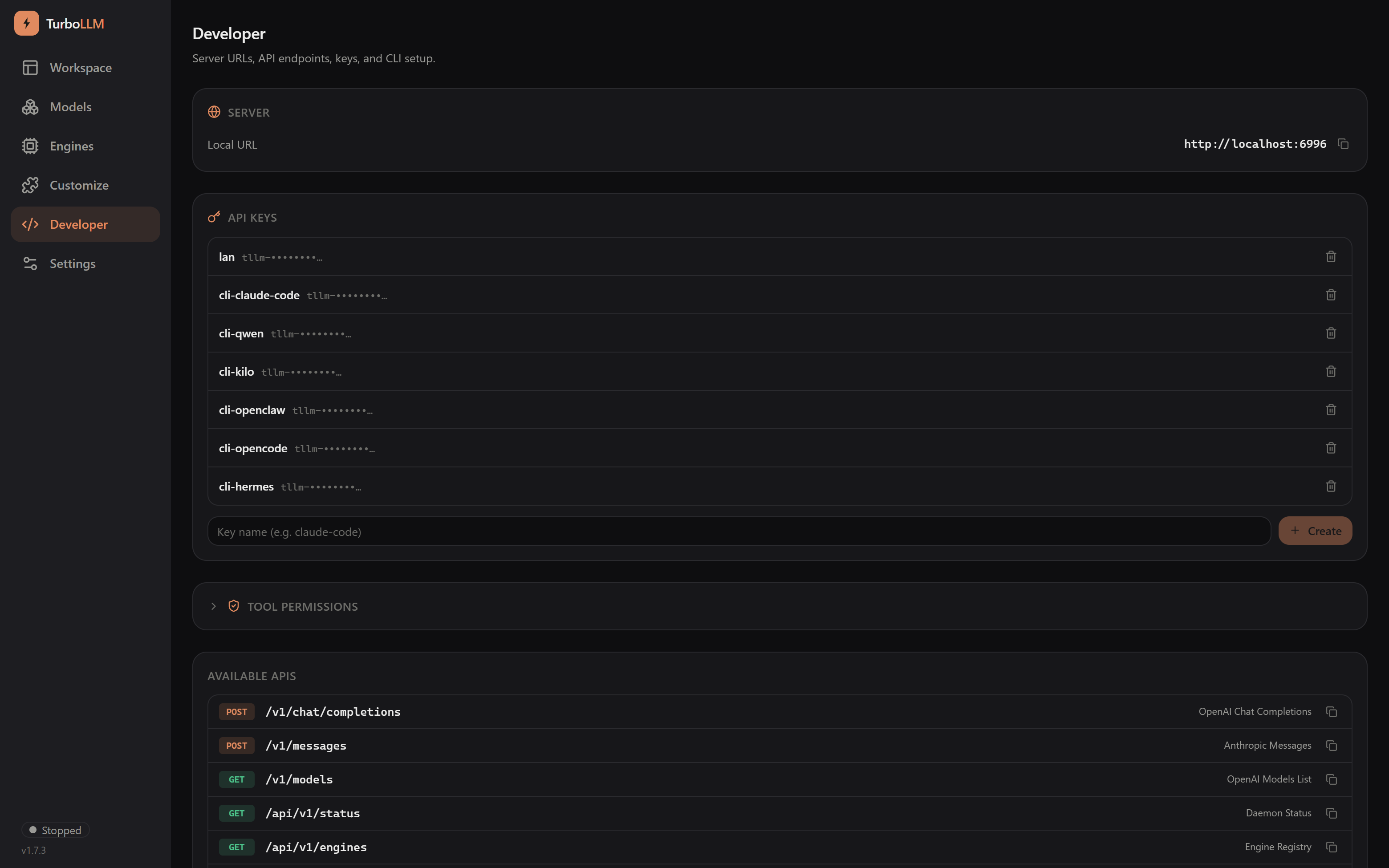
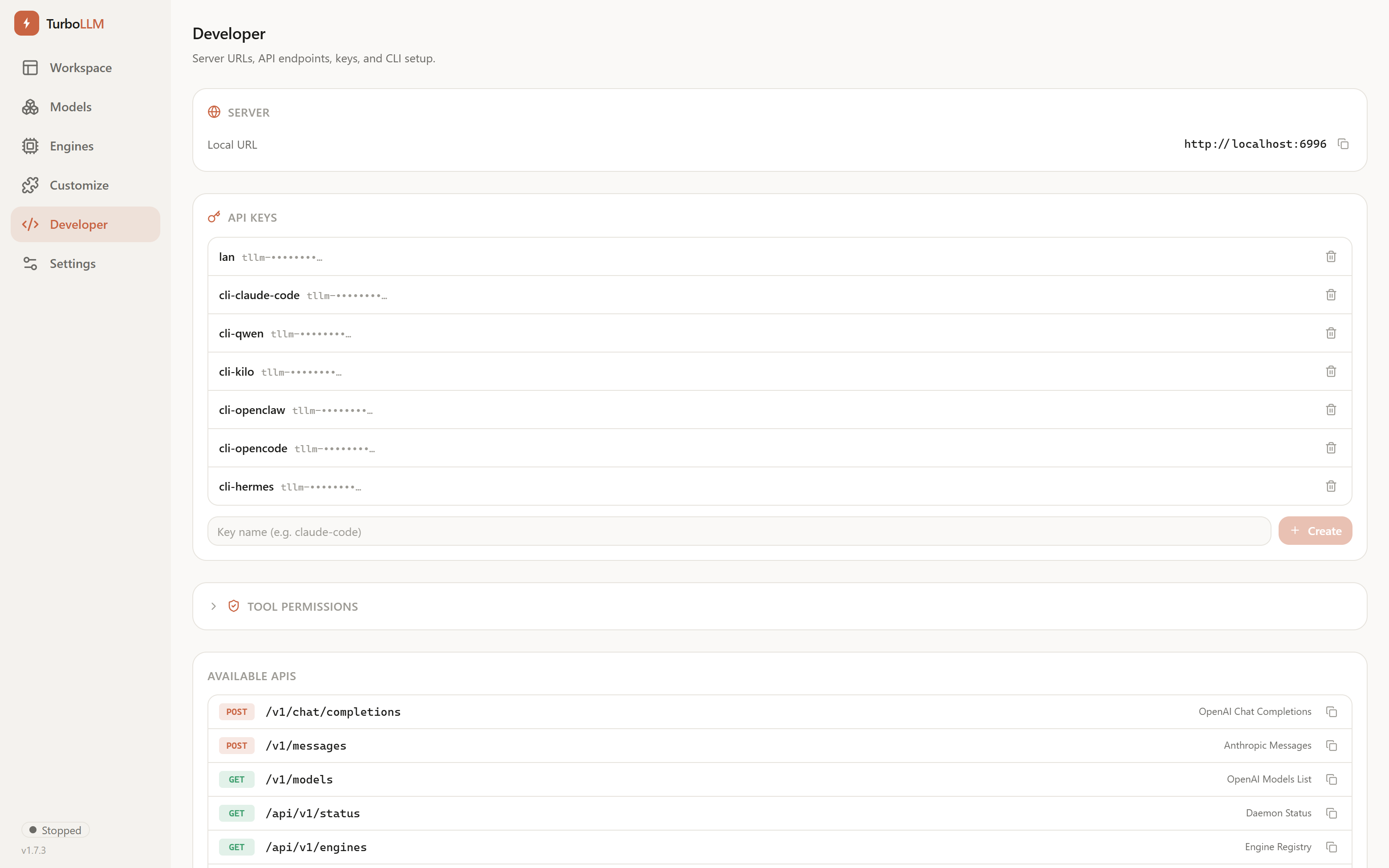
TurboLLM Developer screen showing one-command CLI setup cards and API key management, dark mode TurboLLM Developer screen showing one-command CLI setup cards and API key management, light mode

Built for the tools you already use

OpenAI- and Anthropic-compatible endpoints on the same port, API keys for LAN sharing, and a one-command CLI hookup — turbollm launch claude points Claude Code at your own GPU with no cloud key.

See all integrations

Speed: TurboLLM vs LM Studio

Same GPU (RTX 5070 Ti 16 GB), same model, same 200K context — measured generation speed.

Qwen3.6-35B-A3B · 200KTurboLLMLM StudioSpeed-up
official llama.cpp — q4_074.7 t/s61.0 t/s1.2×
official llama.cpp — q8_072.3 t/s~66 t/s1.1×
TurboQuant fork — turbo424.6 t/s11.4 t/s2.2×

How TurboLLM compares

Focused on the differences that matter — all four are good tools, and the others move fast.

TurboLLMLM StudioOllamaOpen WebUI
Run any engine / forks
Benchmark-based auto-tune
Measured t/s in model list
Anthropic API → Claude Code
OpenAI-compatible API
Lightweight (no Electron / Python)
Offline-first, no telemetry

Want the detail? TurboLLM vs LM Studio · TurboLLM vs Ollama — honest, table-driven, updated July 2026.

Get started in one command

No installation, no setup. Just run it.

npx turbollm

Or install globally: npm install -g turbollm · New here? Read the getting-started guide →

Support TurboLLM

Free to use and source-available, built and maintained by one person. If it saves you time, a bit of support keeps it moving.