Chat, skills & agents
TurboLLM's chat is a full workspace on top of your local model: streaming responses with real speed telemetry, thinking you can turn off, live in-chat previews, a shared library of reusable skills, and agentic tools that never run without your say-so. Everything below happens on your device.
Streaming chat
Responses stream token by token with a stop button, and the composer shows real telemetry as it goes — live tokens/sec, prompt-processing progress, and prefill t/s. TurboLLM never prints faked numbers; what you see is what the model actually did.
Markdown & code
Full Markdown rendering with syntax-highlighted code blocks and one-click copy.
Edit anything
Edit, regenerate, delete, or copy any message in the conversation.
Attachments
Image input for vision models, plus PDF and code/text file attachments.
Per-chat controls
Set a per-chat system prompt and per-chat sampling overrides for one conversation.
Thinking control
Reasoning is on/off only — there's no honest "amount" slider, so TurboLLM doesn't pretend to offer one. Leave thinking on and each answer keeps its reasoning in collapsible thought blocks you can expand or ignore. Toggle it off for a direct answer with no visible chain of thought.
Live artifacts
When a reply contains HTML, SVG, or Mermaid, TurboLLM renders it as a sandboxed, offline preview right in the chat — no network, no external calls. A diagram or a small UI mockup becomes something you can look at instead of a wall of markup.
Artifact previews are sandboxed and rendered locally. Nothing about them reaches the network.
Organizing conversations
Conversations are persistent and searchable, organized into folders you can drag to resize and collapse. Pick a persona per conversation to set its style (see Agents below).
Tools & the approval gate
Chat can call tools: built-in web_search, fetch_url, and a sandboxed run_code, plus anything you add from the MCP marketplace. Nothing runs silently.
Before any tool executes, an approval bar appears above the message box with four choices:
Deny
Block this call.
Allow
Permit this one call.
Allow for this chat
Auto-allow this tool for the rest of the conversation.
Always Allow
Auto-allow it everywhere from now on.
Per-tool defaults live in Developer → Tool permissions.
Skills
Skills are a shared library of reusable instructions — Claude-style SKILL.md files — that any conversation can enable. Turn one on per conversation from the / picker in the composer (with Tab-complete), or from a conversation's settings.
Manage the library from Customize → Skills, where you can:
Upload a SKILL.md
Add an existing skill file directly.
Learn one from a folder
Point TurboLLM at a folder of docs and let it distill a skill.
Distill from a transcript
Turn an existing conversation into a reusable skill.
The standalone Agents screen (background tasks) was retired in v1.7.3. Skills give the same reusable capability directly inside chat.
Agents
Agents are personas you pick per conversation. Built-ins: Default, Designer, Blank, Concise, Detailed, Blunt, Formal, Tutor, Research, Creative, TurboLLM, Lite, and Code. Two are tuned for specific jobs:
Lite
Strips the hidden system prompt to the bare minimum for the fastest responses.
Code
Tuned for precise, idiomatic code with minimal narration.
Customize → Agents is where you edit or create personas.
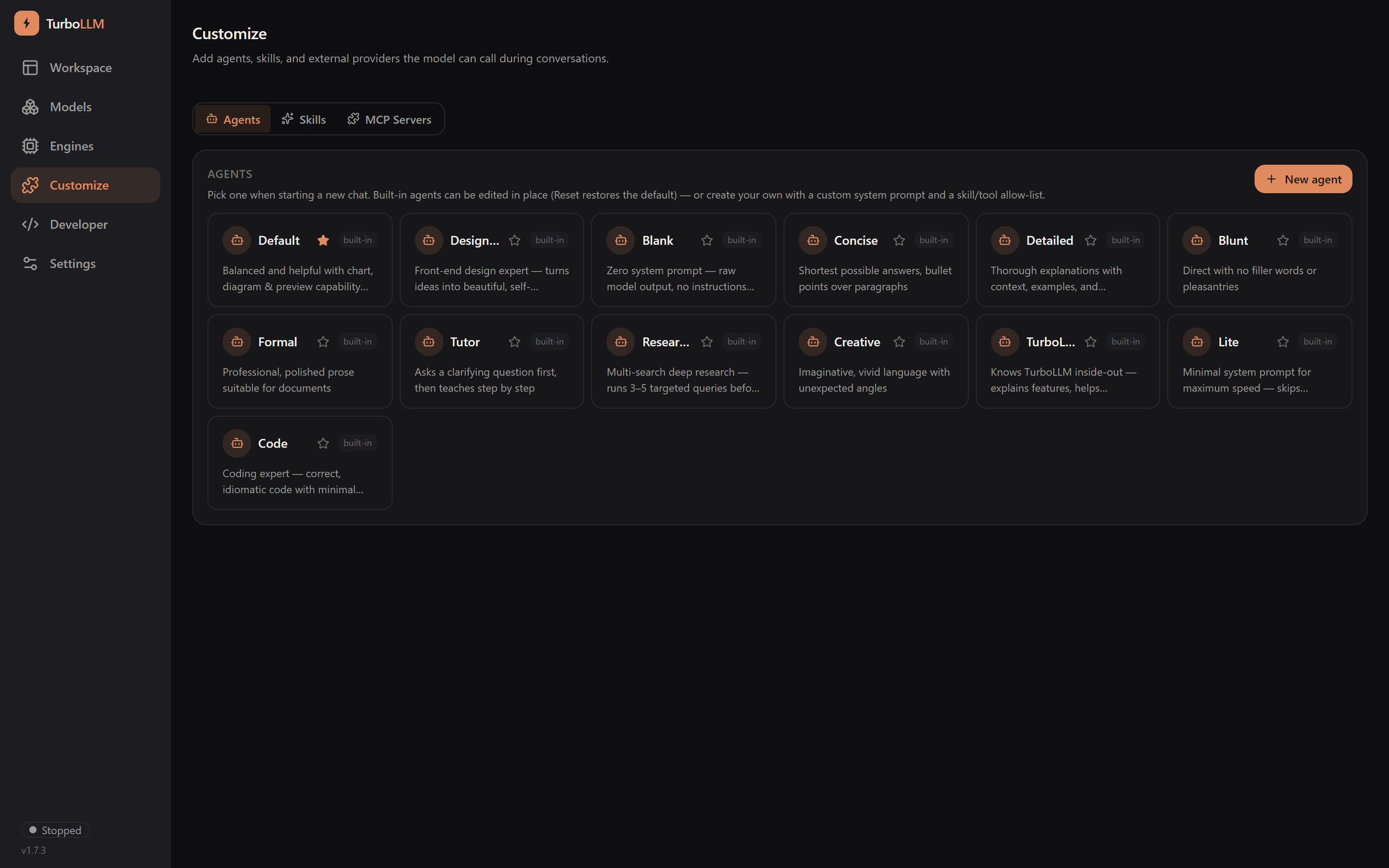
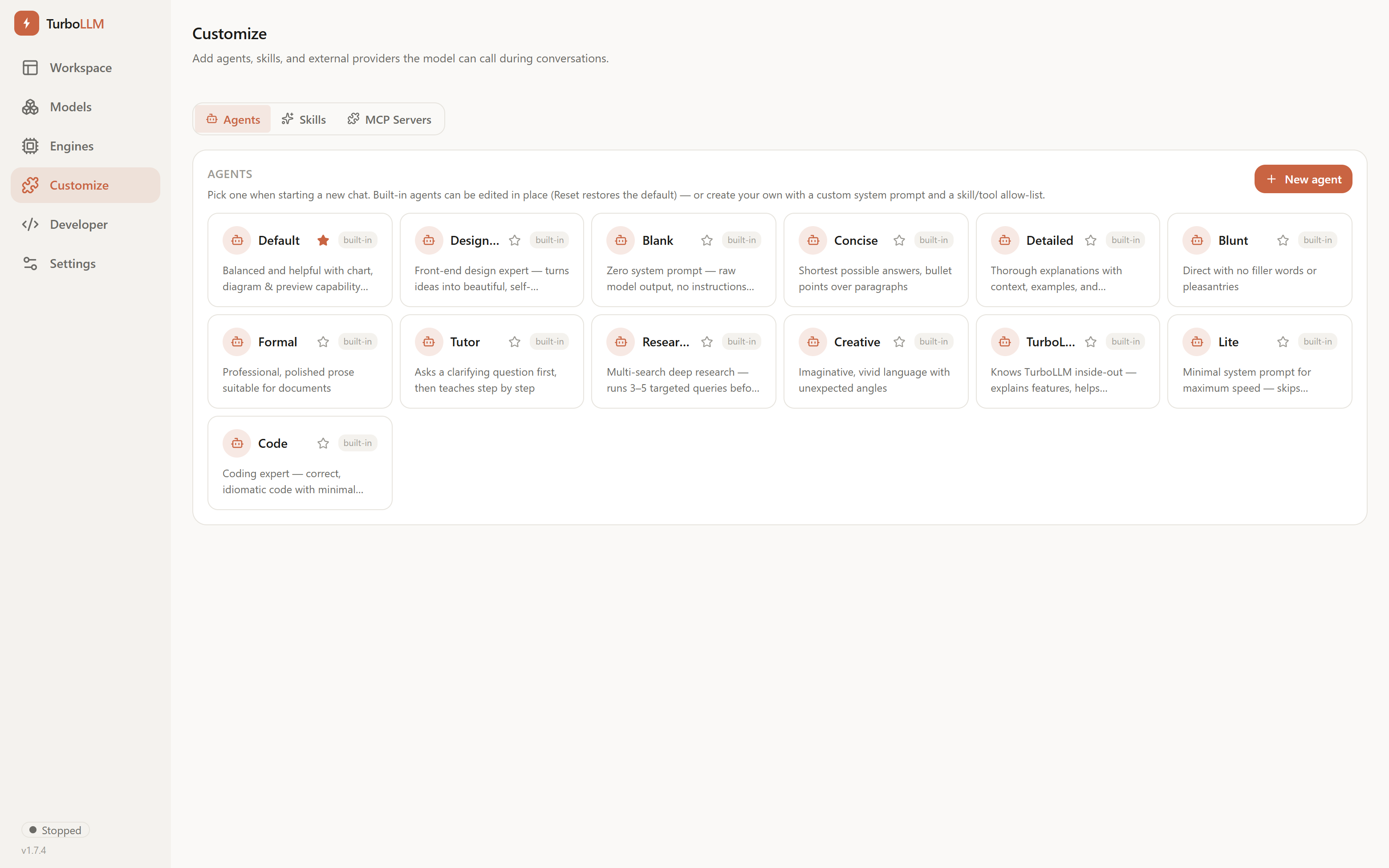
You can edit any built-in in place — its system prompt, which shared skills it uses, and which tools it may call — with one-click Reset. Create your own from a name, description, and system prompt, plus checklists of allowed skills and tools (everything is on by default). MCP tools are grouped by server, so one toggle selects or deselects a whole server at once.
Usage dashboard
A GitHub-style activity heatmap of your local generation history, with adaptive box sizing — 1-hour, 12-hour, or 24-hour buckets for the 7-day, 30-day, and all-time views. It also tracks streaks, your peak hour, a per-model breakdown, and a lifetime token-milestone counter.
Auto-memory
Auto-memory silently extracts durable facts you mention (your name, preferences, hardware) using your own loaded model, and carries them into future new conversations.
Nothing leaves your device, and everything it stores is reviewable and deletable from Settings → Memory.