Laya
Laya is a small open model that decides instead of writing. You give it a piece of text and a few typed questions — yes/no, pick one, or a position on a scale — and it answers each with probabilities in a fraction of a second. TurboLLM runs it on its own Laya engine (Windows, macOS and Linux, on CPU or GPU), beside your chat model, and serves it in a playground and at POST /v1/systemone. This page walks through it from nothing to a working answer.
The model is https://huggingface.co/convaiinnovations/laya. In TurboLLM you refer to it as convaiinnovations/laya. That is the one repo this page was written and tested with, and the one that carries both checkpoints (English and multilingual).
Hugging Face also has GGUF conversions of Laya. Don't use those: they need a different runtime that llama.cpp can't load, and TurboLLM marks them as not loadable.
What Laya is
Laya is a System One decision model (Apache-2.0). It doesn't chat and it writes no prose: one pass over your text gives you a typed answer for every question you asked. The three question types are the ones on the Jev page, and the request and response use the same field names, so anything you write against one works against the other.
| Type | You ask | You get |
|---|---|---|
noul | A yes/no question | A number between 0 and 1: the probability of yes |
choice | Pick one from options you name | The chosen option and a probability for every option |
score | Where the text sits on an ordered scale you describe | A score (the probability-weighted level) and a probability for every level |
Laya or Jev?
TurboLLM serves both at /v1/systemone. They differ in how they run:
| Laya | Jev | |
|---|---|---|
| Runs on | Its own Laya engine: Windows, macOS, Linux; CPU or GPU | vLLM: Linux or WSL2, NVIDIA GPU |
| Model size | About 1.5 GB (English and multilingual checkpoints) | About 9 GB for the tested 4B checkpoint |
| Chat while it is loaded | Still available. Laya loads beside your chat model. | Workspace shows only the Jev Playground |
| Who works out the numbers | Laya itself. TurboLLM passes the answers through. | TurboLLM, from NLI entailment scores |
Before you start
- TurboLLM 1.14.1 or newer. The version is at the bottom of the sidebar (the screenshots below show
v1.14.1). Laya support arrived in that release. - Internet for the first setup only. The Laya engine is a Python environment with PyTorch (several GB with GPU support), and the model is about 1.5 GB. Once both are on disk, TurboLLM starts Laya in Hugging Face offline mode, so serving needs no network.
- A desktop OS. The Laya engine is built for Windows, macOS and Linux, on CPU, NVIDIA or Apple GPU. The model is small (about 1.5 GB), so it doesn't need a big card.
Everything on this page, including every screenshot and number, was run on Windows with an NVIDIA GPU (CUDA). macOS (Apple GPU), Linux and CPU-only installs of the Laya engine haven't been verified yet, and the engine is marked experimental. They are built to work, but treat them as untested.
Set it up, step by step
Install the Laya engine
Open Engines, find the Laya card (“System One decision models”) and press Install. TurboLLM sets up an isolated Python environment for it and picks the PyTorch build that matches your machine, so this can take a while. The card shows progress.
Do this before downloading the model. Until the Laya engine is installed, TurboLLM doesn't show a Laya model in your library.
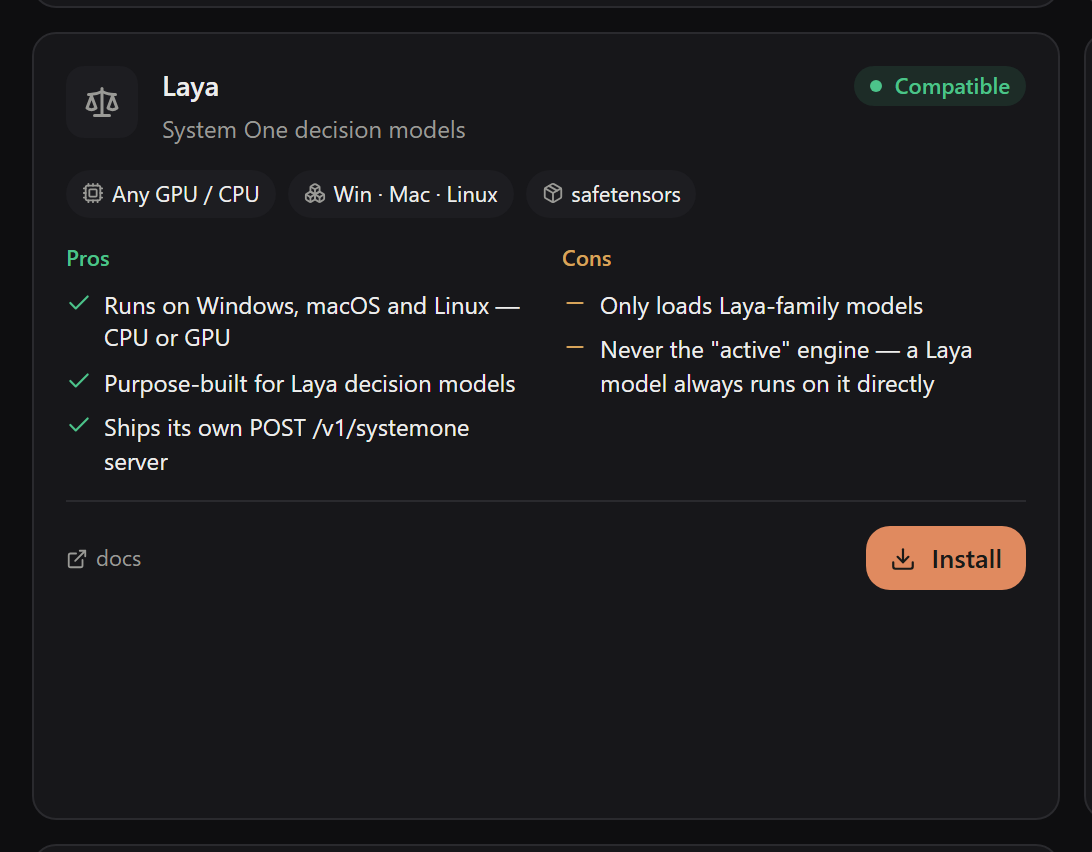
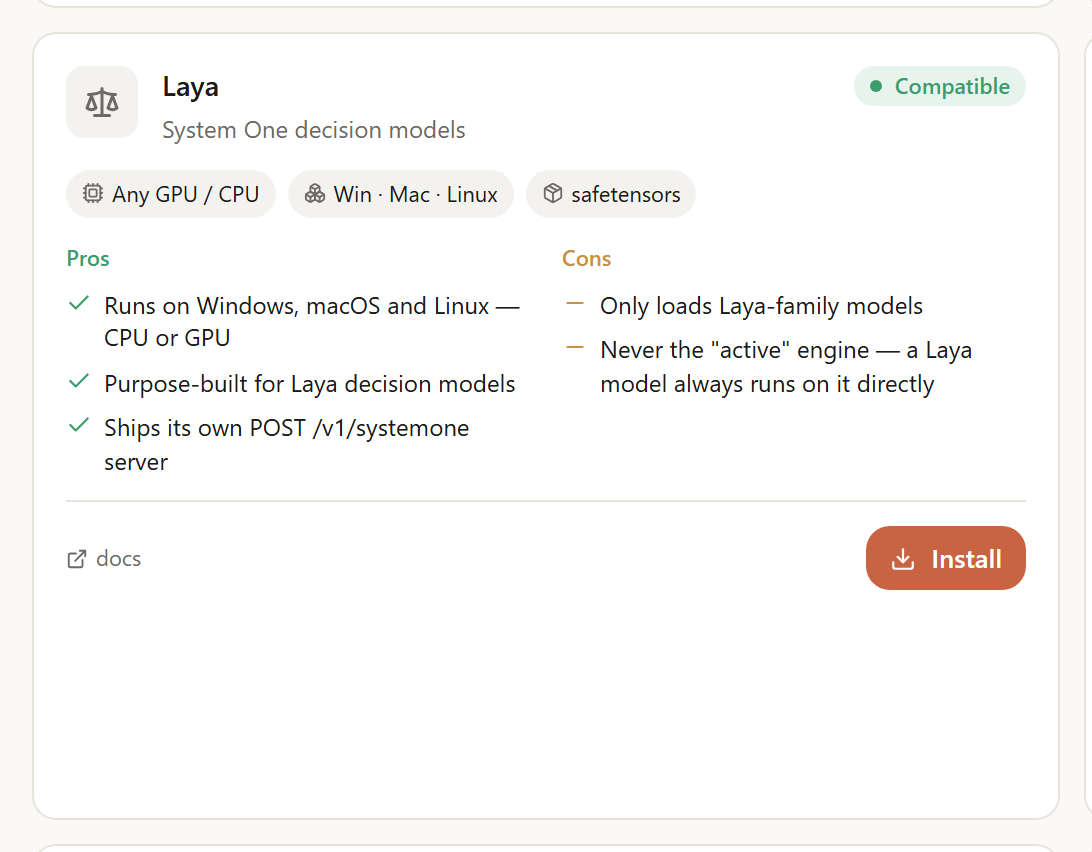
Laya is never the “active” engine, so you won't be asked to activate it, and your chat engine stays as it is. A Laya model simply always runs on the Laya engine.
Find the exact model
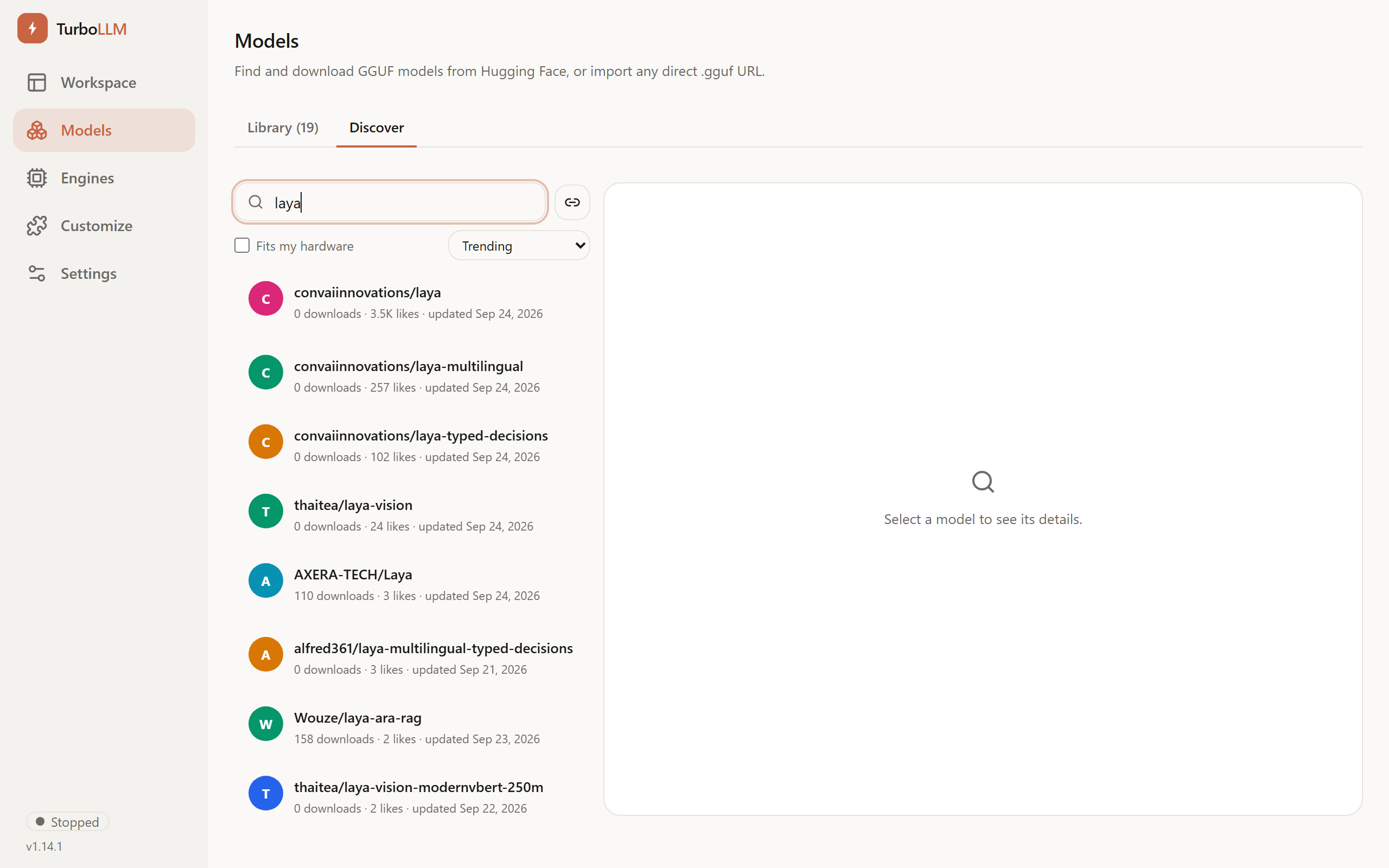
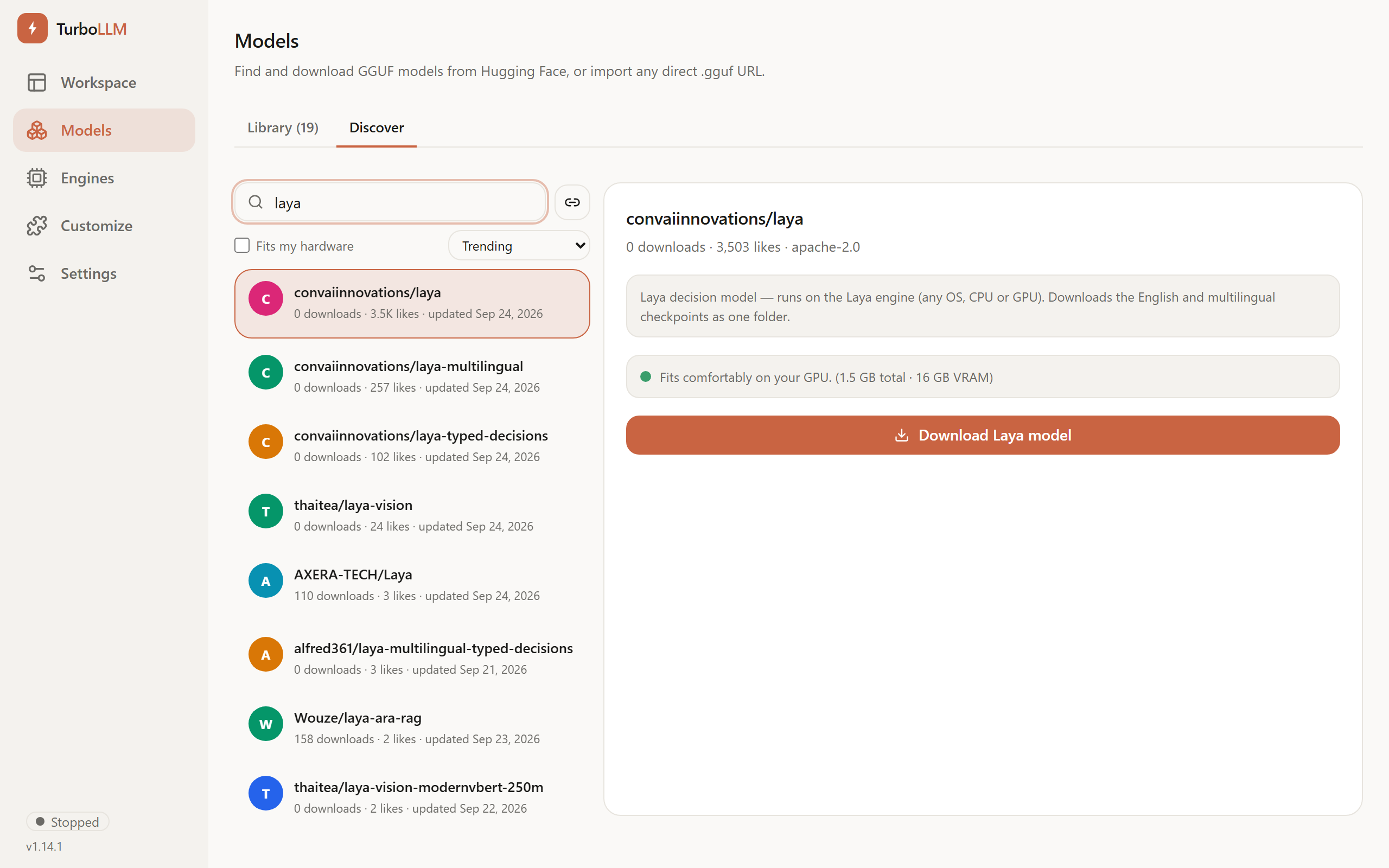
Open Models → Discover and search for
laya. Pickconvaiinnovations/laya, at the top of the results. You don't need to switch engines: the screenshots were taken with llama.cpp as the active chat engine.Or skip the search: press the link icon next to the search box (Import from URL) and paste the exact address:
https://huggingface.co/convaiinnovations/laya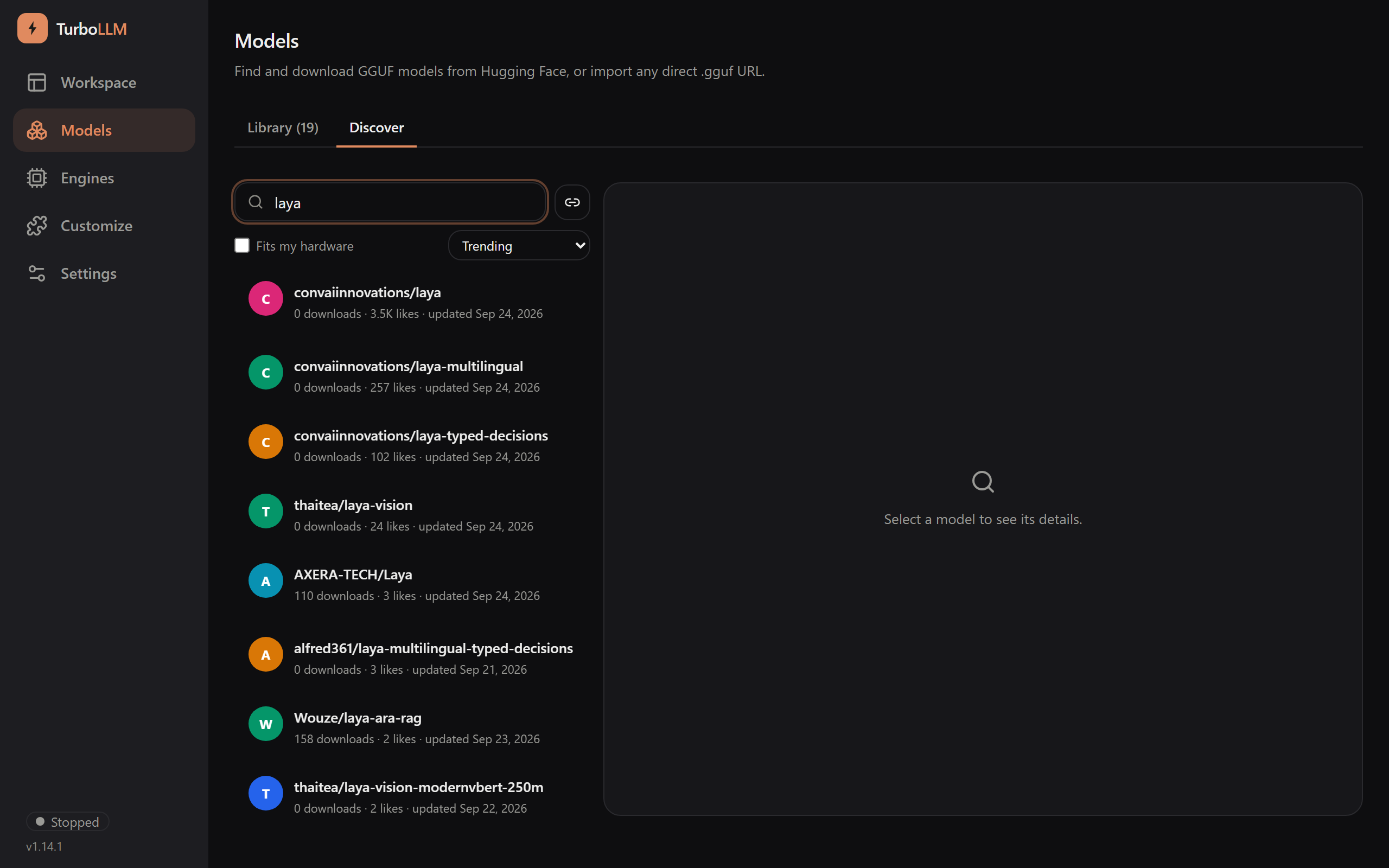
 Only this repo
The search also lists other repos with “laya” in the name (other projects, and conversions). Pick
convaiinnovations/layaexactly. Its name and the Download Laya model button are how you know you have the right one.Download it
The repo panel says “Laya decision model — runs on the Laya engine” and shows the size (about 1.5 GB). Press Download Laya model. TurboLLM fetches the English and multilingual checkpoints together, as one folder named
layain your models folder. Progress shows in Downloads.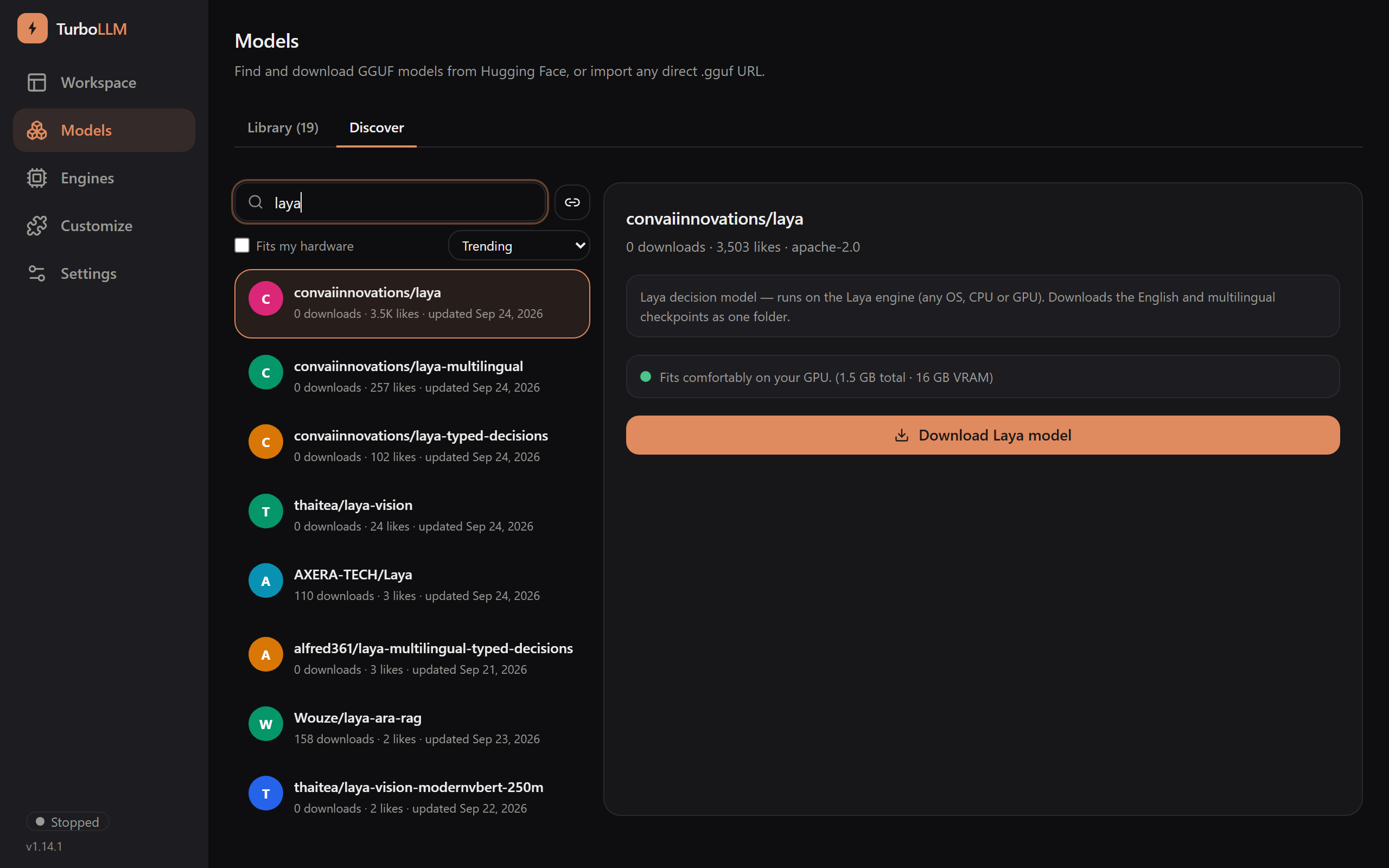
Load it
When the download finishes, open the Library tab. The row is named
layaand carries a LAYA badge. Press Load. On the test machine it was ready in under ten seconds.

Once it is running the row turns green and the button becomes Eject:


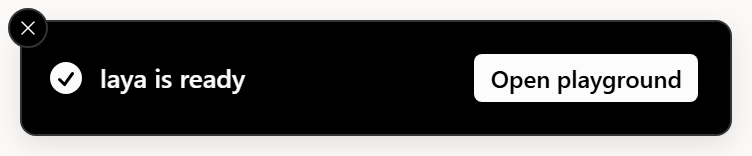
If you started the load from this browser, a toast appears with an Open playground button. TurboLLM never navigates for you.

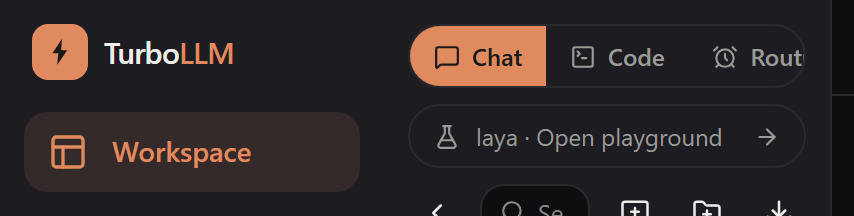
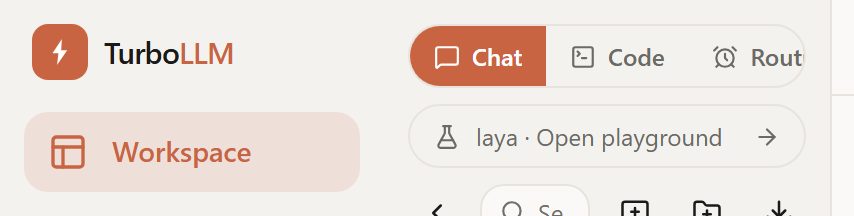
Your chat model is not unloaded. Laya loads into its own slot beside it, and Chat, Code and Routines all keep working. For as long as Laya is loaded, the Workspace sidebar shows a link to the playground:
Ask it something in the playground
Open the playground from the toast or the sidebar link. Press Run and you get answers for the example that is already there.
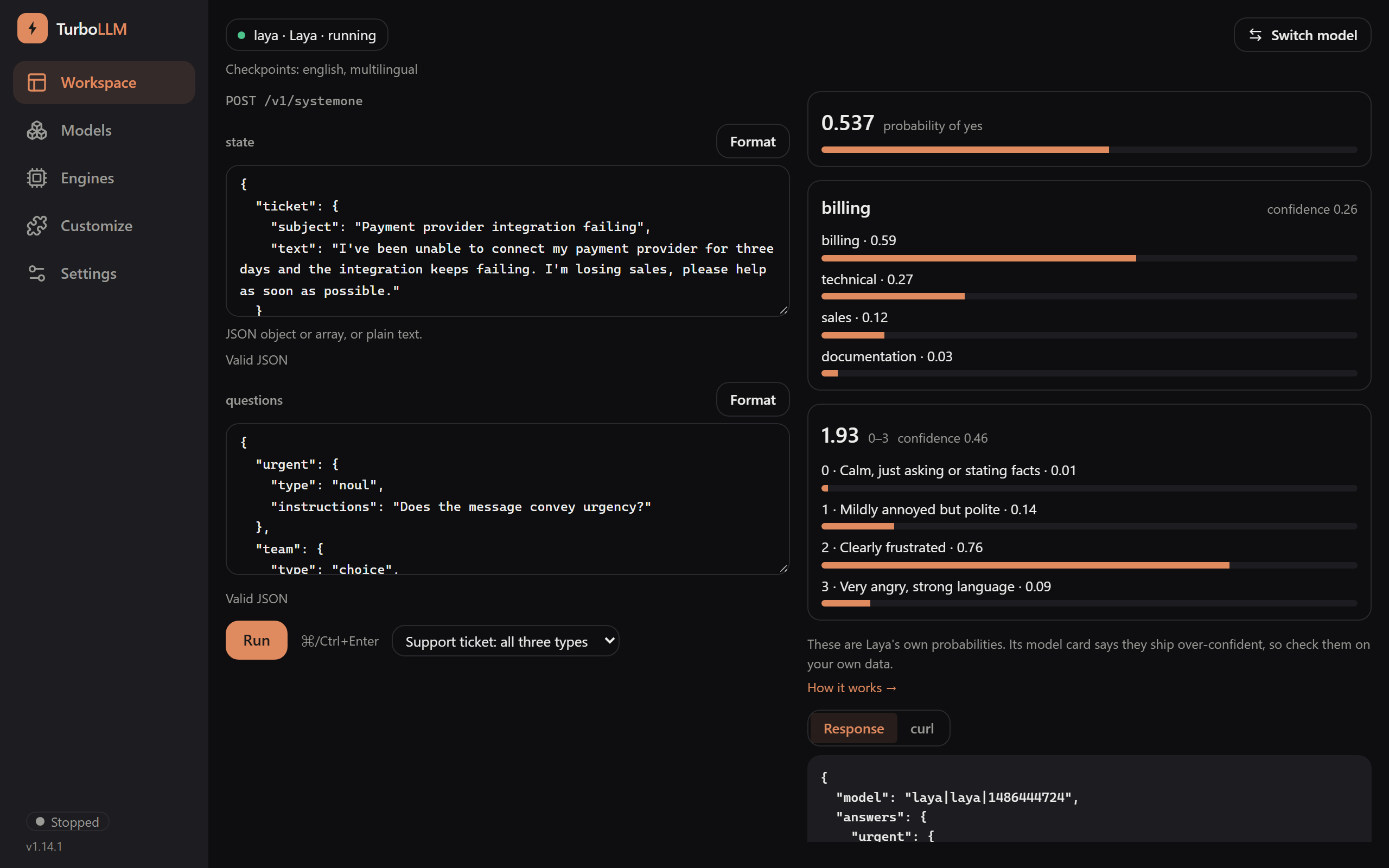
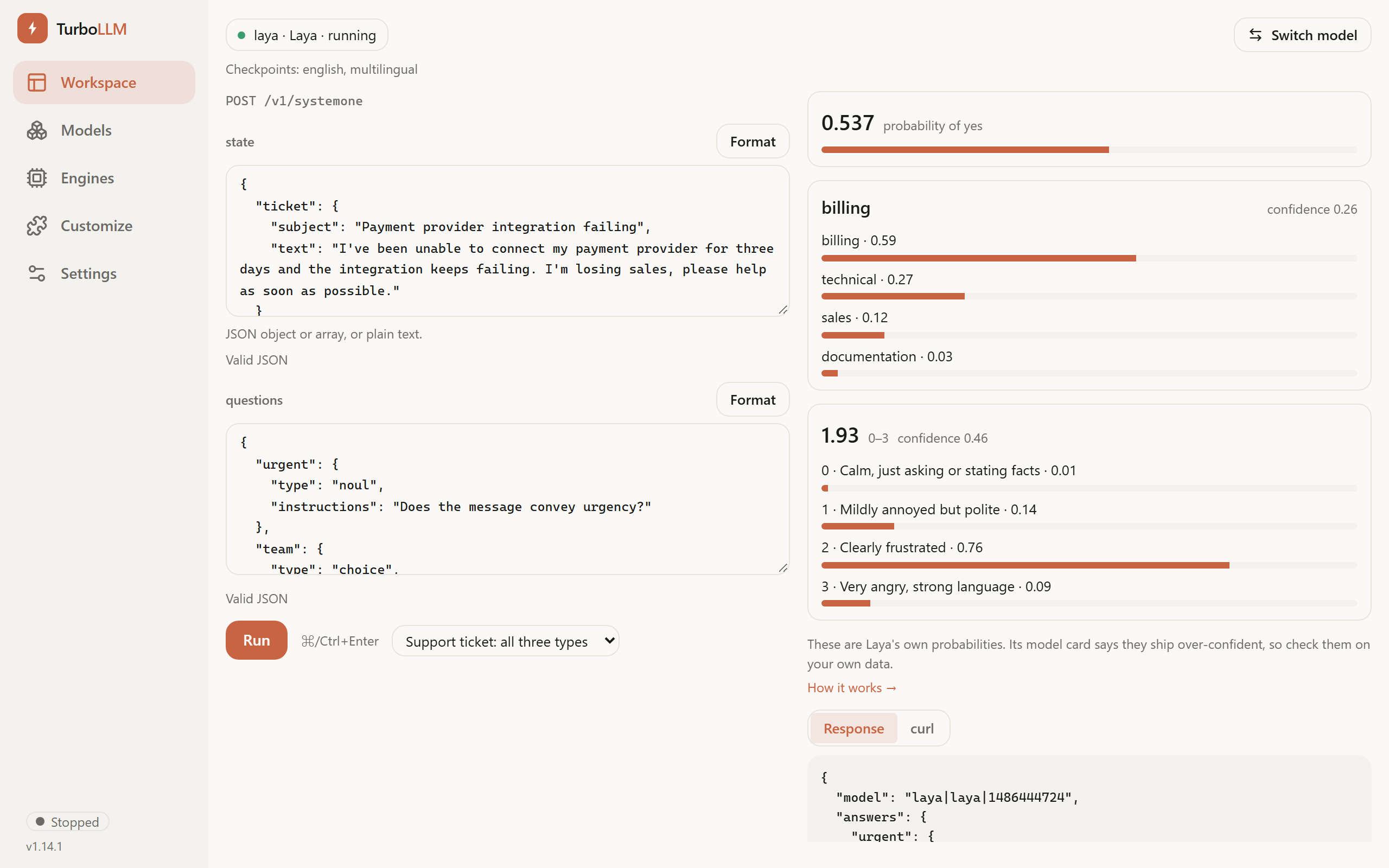
It is the same JSON-first playground as the Jev Playground, and its parts work the same way:
- Header.
laya · Laya · running, and under it Checkpoints: english, multilingual. - Two editors that are the request.
stateis the text the questions are about (JSON, or plain text, which is sent as a string).questionsis the JSON map of questions. What you type is exactly what gets sent. - Run (or
Ctrl+Enter,Cmd+Enteron macOS). Nothing is sent until you run. - Answers. One card per question: the yes/no number, the chosen option with every option's probability, or the scale score with every level's probability.
- Response and curl tabs. The raw JSON that came back, and the exact
curlfor the request you just ran, ready to copy into your own code. - Examples dropdown, for a support ticket with all three question types and other ready-made inputs.
- Header.
Try another language
Laya carries a multilingual checkpoint and chooses between the two itself. Paste text in another script into
stateand run. Here the state is Hindi (“I was charged twice in March, please refund the duplicate amount”) and the questions are still in English: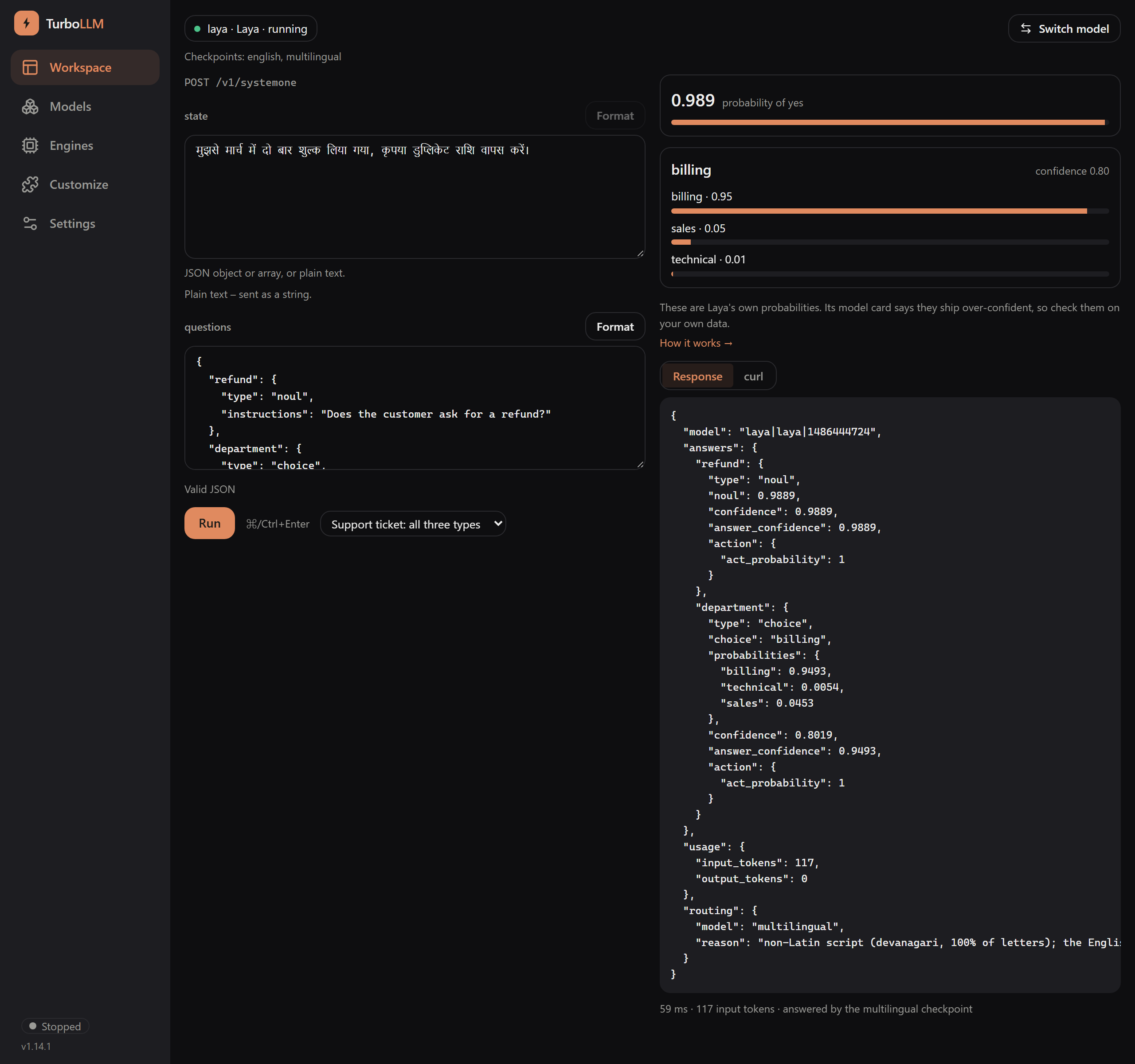
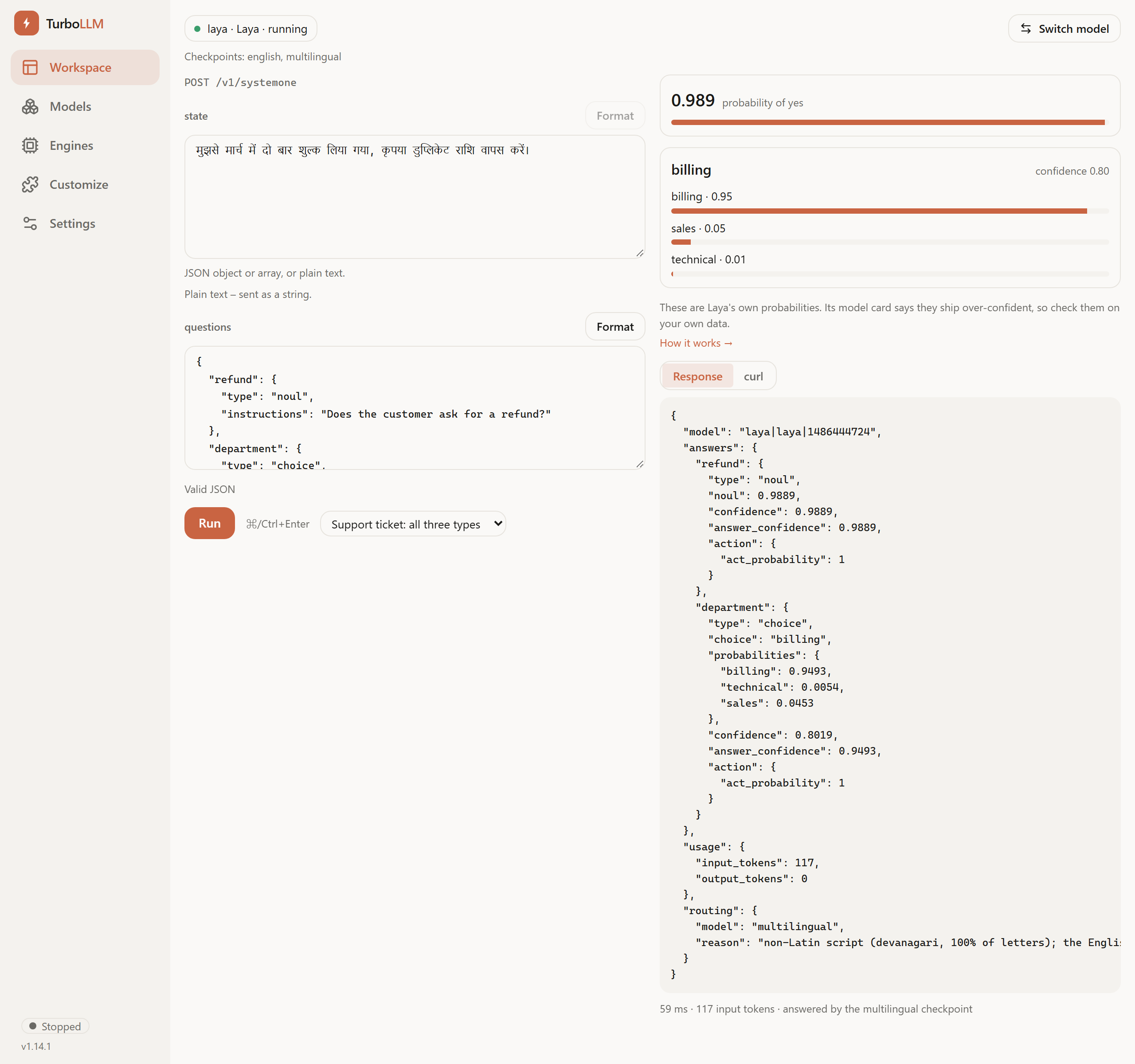
The footer reads answered by the multilingual checkpoint. The response's
routingblock names the checkpoint and why it was chosen. See Which checkpoint answered.
To unload Laya, press Eject on its row in Models. Nothing is deleted.
Use it from your own code
POST /v1/systemone is on the same address and port as the rest of TurboLLM's API (http://localhost:6996 by default). For a Laya model the request is exactly the one described on the Jev page: state, model and a map of questions, each with a type, instructions and (for choice and score) criteria. The field names follow TypeSafe AI's public System One API.
modelis the model's name in your library (laya), or its id fromGET /v1/models, which looks likelaya|laya|<size in bytes>. The aliasjev-latestselects a Jev model and never a Laya one, so name Laya explicitly.- Loaded on demand. With Auto model-swap on (Settings → Gateway), the first request loads Laya for you, into its own slot beside your chat model. With it off, load Laya from Models first, or the request fails with 503.
- Auth is the same as the rest of
/v1: a key is needed only when Require API key is on. See API overview. - Laya answers
/v1/systemoneonly. Sending it to/v1/chat/completions,/v1/embeddingsor/v1/messagesreturns 400laya_model_wrong_endpoint.
The curl tab uses bash quoting. In PowerShell 5.1, use the Python or JavaScript tab instead, or save the JSON to a file and run curl.exe http://localhost:6996/v1/systemone -H "Content-Type: application/json" -d "@request.json".
This is the request the playground runs for its support-ticket example:
curl http://localhost:6996/v1/systemone \
  -H "Content-Type: application/json" \
  -d @- <<'EOF'
{
  "model": "laya",
  "state": "I've been unable to connect my payment provider for three days and the integration keeps failing. I'm losing sales, please help as soon as possible.",
  "questions": {
    "urgent": { "type": "noul", "instructions": "Does the message convey urgency?" },
    "team": {
      "type": "choice",
      "instructions": "Which team should handle this message?",
      "criteria": {
        "billing": "Payment, invoices, refunds or subscription charges",
        "technical": "Bugs, outages or integration problems",
        "sales": "Pricing, plans, upgrades or discounts"
      }
    },
    "mood": {
      "type": "score",
      "instructions": "What is the customer's tone?",
      "criteria": [
        "Calm, just asking or stating facts",
        "Mildly annoyed but polite",
        "Clearly frustrated",
        "Very angry, strong language"
      ]
    }
  }
}
EOF

# Only when Require API key is on, add:
# -H "Authorization: Bearer <your key>"import requests
headers = {"Content-Type": "application/json"}
# headers["Authorization"] = "Bearer <your key>" # only when Require API key is on
resp = requests.post(
"http://localhost:6996/v1/systemone",
headers=headers,
json={
"model": "laya",
"state": "I've been unable to connect my payment provider for three days and the integration keeps failing. I'm losing sales, please help as soon as possible.",
"questions": {
"urgent": {"type": "noul", "instructions": "Does the message convey urgency?"},
"team": {
"type": "choice",
"instructions": "Which team should handle this message?",
"criteria": {
"billing": "Payment, invoices, refunds or subscription charges",
"technical": "Bugs, outages or integration problems",
"sales": "Pricing, plans, upgrades or discounts",
},
},
"mood": {
"type": "score",
"instructions": "What is the customer's tone?",
"criteria": [
"Calm, just asking or stating facts",
"Mildly annoyed but polite",
"Clearly frustrated",
"Very angry, strong language",
],
},
},
},
)
if not resp.ok:
raise RuntimeError(resp.json()["error"]["message"])
body = resp.json()
answers = body["answers"]
print("urgent", answers["urgent"]["noul"])
print("team", answers["team"]["choice"], answers["team"]["probabilities"])
print("mood", answers["mood"]["score"])
print("answered by", body["routing"]["model"], "-", body["routing"]["reason"])const res = await fetch("http://localhost:6996/v1/systemone", {
method: "POST",
headers: {
"Content-Type": "application/json",
// "Authorization": "Bearer <your key>", // only when Require API key is on
},
body: JSON.stringify({
model: "laya",
state: "I've been unable to connect my payment provider for three days and the integration keeps failing. I'm losing sales, please help as soon as possible.",
questions: {
urgent: { type: "noul", instructions: "Does the message convey urgency?" },
team: {
type: "choice",
instructions: "Which team should handle this message?",
criteria: {
billing: "Payment, invoices, refunds or subscription charges",
technical: "Bugs, outages or integration problems",
sales: "Pricing, plans, upgrades or discounts",
},
},
mood: {
type: "score",
instructions: "What is the customer's tone?",
criteria: [
"Calm, just asking or stating facts",
"Mildly annoyed but polite",
"Clearly frustrated",
"Very angry, strong language",
],
},
},
}),
});
if (!res.ok) throw new Error((await res.json()).error.message);
const { answers, routing } = await res.json();
console.log("urgent", answers.urgent.noul);
console.log("team", answers.team.choice, answers.team.probabilities);
console.log("mood", answers.mood.score);
console.log("answered by", routing.model, "-", routing.reason);The real response to that request, unedited (Windows, 2026-09-25):
{
  "model": "laya|laya|1486444724",
  "answers": {
    "urgent": {
      "type": "noul",
      "noul": 0.7621,
      "confidence": 0.7621,
      "answer_confidence": 0.7621,
      "action": { "act_probability": 1 }
    },
    "team": {
      "type": "choice",
      "choice": "billing",
      "probabilities": { "billing": 0.5867, "technical": 0.219, "sales": 0.1943 },
      "confidence": 0.1227,
      "answer_confidence": 0.5867,
      "action": { "act_probability": 1 }
    },
    "mood": {
      "type": "score",
      "score": 1.8595,
      "legend": {
        "0": "Calm, just asking or stating facts",
        "1": "Mildly annoyed but polite",
        "2": "Clearly frustrated",
        "3": "Very angry, strong language"
      },
      "probabilities": { "0": 0.0206, "1": 0.1974, "2": 0.6838, "3": 0.0981 },
      "confidence": 0.3595,
      "answer_confidence": 0.6838,
      "action": { "act_probability": 1 }
    }
  },
  "usage": { "input_tokens": 222, "output_tokens": 0 },
  "routing": { "model": "english", "reason": "English Latin text" }
}Laya put this ticket about a failing payment integration under billing (0.59) rather than technical (0.22). That is the real result, not a tidied one. It is a reason to run Laya on your own messages and read the numbers before you rely on them. See What the numbers are.
The response fields
| Field | Description |
|---|---|
model | The id of the model that answered. |
answers.<id> | One entry per question, under the ids you chose. type is noul, choice or score. |
noul | Yes/no: the probability of yes, 0 to 1. |
choice, probabilities | Pick one: the chosen option, and a probability for every option (they sum to 1). |
score, legend, probabilities | Scale: the probability-weighted level, the level descriptions you sent (keyed by index), and a probability for every level. |
confidence | Laya's own measure for that answer. It is a different number from the confidence TurboLLM works out for a Jev model, so don't compare them. |
answer_confidence, action.act_probability | Extra fields Laya adds. In the runs on this page, answer_confidence was the yes number for a yes/no question, the winning option's probability for a pick-one, and the probability of the level nearest the score for a scale. act_probability was 1 every time. Don't build on either without checking them on your own data. |
usage | input_tokens as Laya counted them, and output_tokens, which is always 0. |
routing | Which checkpoint answered and why. Only on Laya responses. See below. |
Which checkpoint answered
The laya folder holds two checkpoints, and Laya picks one for each request. routing.model is english or multilingual, and routing.reason says why. The two reasons seen in the runs above:
| State | routing.model | routing.reason |
|---|---|---|
| English | english | English Latin text |
| Hindi | multilingual | non-Latin script (devanagari, 100% of letters); the English checkpoint cannot read it |
This is the same Hindi request as the screenshot, and its real response:
{
  "model": "laya|laya|1486444724",
  "answers": {
    "refund": { "type": "noul", "noul": 0.9889, "confidence": 0.9889, "answer_confidence": 0.9889, "action": { "act_probability": 1 } },
    "department": {
      "type": "choice",
      "choice": "billing",
      "probabilities": { "billing": 0.9493, "technical": 0.0054, "sales": 0.0453 },
      "confidence": 0.8019,
      "answer_confidence": 0.9493,
      "action": { "act_probability": 1 }
    }
  },
  "usage": { "input_tokens": 117, "output_tokens": 0 },
  "routing": {
    "model": "multilingual",
    "reason": "non-Latin script (devanagari, 100% of letters); the English checkpoint cannot read it"
  }
}The request behind it had "model": "laya", the Hindi sentence as state, and two English questions: a noul (Does the customer ask for a refund?) and a choice between billing, technical and sales.
How fast
On the machine these numbers came from (Windows, NVIDIA GPU, 2026-09-25), the first request, which had to load Laya, took about 9 seconds. Once it was loaded, requests took 0.27 to 0.36 seconds end to end over HTTP, for the English ticket above and for the Hindi one. That is one machine and a few requests, not a benchmark.
Errors you may meet
| Status, code | Meaning |
|---|---|
400 laya_model_wrong_endpoint | You called a chat, embeddings or messages endpoint with the Laya model. It only answers /v1/systemone. |
| 404 | The model name matches nothing in your library. |
422 invalid_request | The request broke a rule (a missing field, a question with no criteria, too many questions, and so on). The message names the field. |
| 503 | Laya isn't loaded and Auto model-swap is off. Load it from Models. |
502 engine_error | The Laya engine itself returned an error. The message says what it reported. |
What the numbers are, and what they aren't
- They are Laya's own probabilities. TurboLLM doesn't recompute them for a Laya model (it does for Jev). Laya's model card says these probabilities ship over-confident, so a 0.95 is not a 95% chance of being right. Check them on your own data before you act on a threshold.
- One example is not an evaluation. The runs above are two requests. They show the shape and the speed. They don't show how accurate Laya is on your task.
- Write neutral instructions. A question that presupposes the answer tends to skew the result. The advice on the Jev page was measured on a Jev model, not on Laya, but it is a sensible default here too.
- Long text is cut short, silently. Laya reads only the start of a long
state: about 320 tokens of English text, or about 768 of multilingual text, in the tests so far. It accepts longer text, and nothing in the response says it was cut. Summarise or split long content yourself. Laya itself refuses a state over 50,000 characters or more than 64 questions with a 422. - The
typed-decisionscheckpoint isn't available. The Laya repo also holds a checkpoint fine-tuned for four fixed workflows. TurboLLM doesn't download it, and the request has no way to pick a checkpoint. Laya's own router chooses between English and multilingual only.
Troubleshooting
| What you see | What to do |
|---|---|
| The Laya model isn't in your library after the download | Install the Laya engine first (step 1). Until it is installed, TurboLLM doesn't show a Laya model. Then check the Library tab again. |
| The engine install fails | The Laya card shows the error. The install needs internet access and several GB of free disk. Fix that and press Install again. |
| You downloaded a GGUF or other conversion and it won't load | Those conversions use a runtime llama.cpp can't load, and TurboLLM marks them as not loadable. Download convaiinnovations/laya instead (huggingface.co/convaiinnovations/laya). |
| Chat says the model can't chat | Right: Laya only answers System One questions. Chat with your chat model. Laya loads beside it, so both are available. |
| The first API call is slow | With Auto model-swap on, that call loads Laya. Later calls are quick. Load it from Models first to avoid the wait. |
| Delete is refused | Eject the model first. A loaded model can't be deleted. |
Next
POST /v1/systemone →
The full request reference: every field, every limit and how question types work.
Jev →
The other System One model TurboLLM serves, on vLLM, with /v1/classify and /v1/rerank.
Run any engine →
How engines work in TurboLLM, and where the Laya engine fits.
The model page →
Laya's own model card on Hugging Face: convaiinnovations/laya.